
How clients choose their favourite photos
Guests and clients pick favourites with a heart in the gallery, and you see every pick in your dashboard.
On this page5 sections
Your clients and guests choose their favourite photos right in the gallery, for example the ones they want in their wedding album. You then see each person’s picks in your dashboard.
Before you start
- A published event with photos.
- Email Id switched on in Privacy Settings → Custom Form Fields. The favourite hearts only appear when it’s on.
Guests find their photos
Your client opens the gallery and finds their photos with a selfie, using Selfie Search. That’s also when they register, so TurtlePic knows whose favourites are whose.
Tap the heart
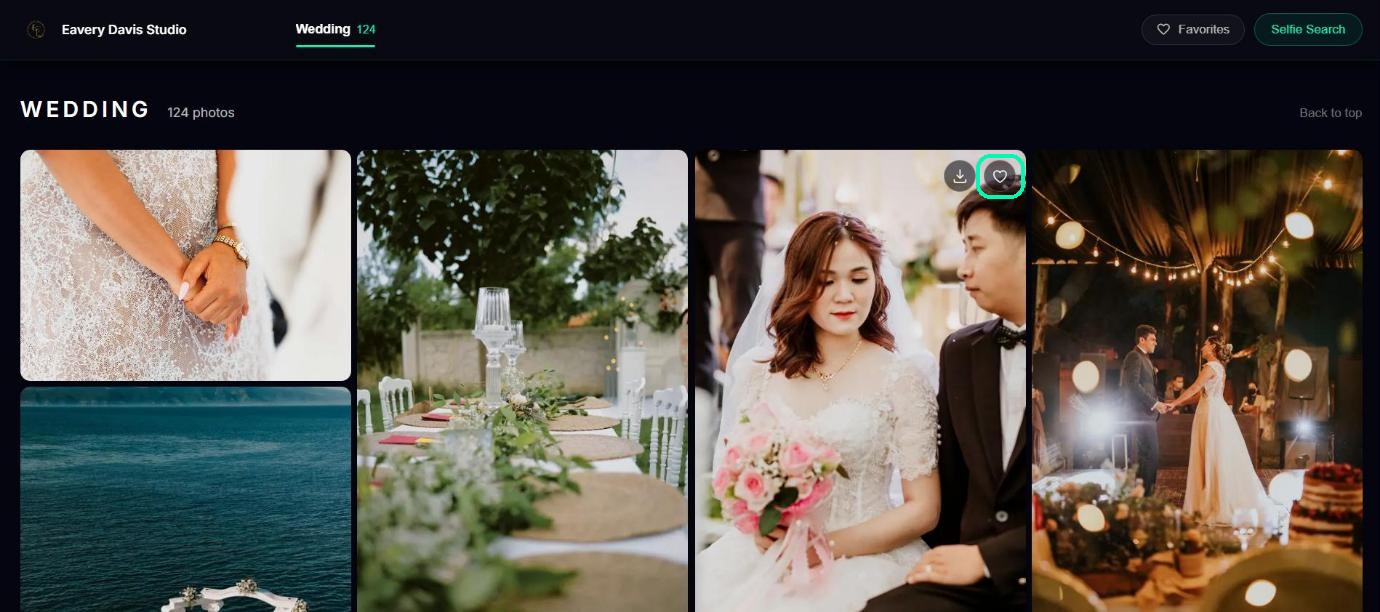
To pick a photo, they tap the heart on it, in the grid or in the full-size view. Each tap saves straight away, so there’s no submit button, and they can come back and change their picks any time.
Review the favourites
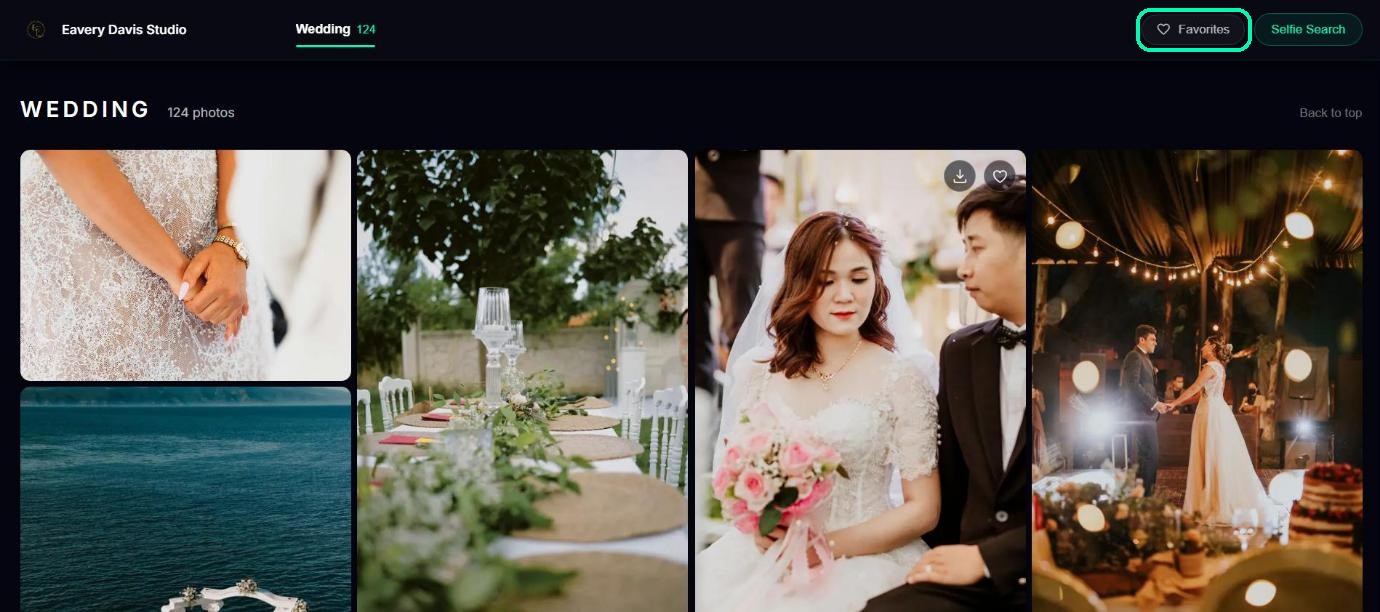
Tapping Favorites shows only the photos they’ve picked. Tapping a heart again removes that photo from their favourites.
Tip
Want clients to choose a set number of photos, for example 50 for an album? Set a favourite limit.
Was this article helpful?
Your answer helps us improve this guide.
Thanks for letting us know.