Capturing great photos at an event is only half the job. The other half starts with editing, organizing, and delivering those photos to clients and guests and this is where most event photographers lose hours they cannot afford to lose.
In 2026, client expectations around photo delivery have shifted significantly. Same-day highlight galleries, 48-hour full delivery, and real-time sharing during the event itself are no longer exceptional – they are increasingly standard expectations. Photographers who still rely on manual workflows, generic drive links, and WhatsApp delivery are finding it harder to meet these expectations without burning out in the process.
The good news is that faster photo delivery does not require working harder. It requires working smarter with the right tools, the right workflow, and an understanding of where the real bottlenecks in event photo delivery actually are. In this guide we break down exactly how event photographers can deliver photos faster in 2026, from the moment the shoot ends to the moment every guest has their photos in hand.
Why Photo Delivery Speed Matters More Than Ever for Event Photographers in 2026
Speed of delivery has always mattered in event photography. But in 2026 it matters more than ever and for reasons that go beyond simply keeping clients happy.
Client Expectations Have Fundamentally Changed
Industry data shows that 58% of clients now expect a full edited gallery within 48 hours of an event. A few years ago, a one to two week turnaround was considered perfectly acceptable. Today it is considered slow. Clients who book event photographers in 2026 are comparing their experience against platforms and tools that deliver content in real time and their expectations have adjusted accordingly. A photographer who consistently delivers fast builds a reputation that generates referrals. A photographer who takes two weeks to deliver in a world that expects two days loses repeat business quietly and without warning.
The Social Media Window Is Short
Event excitement has a shelf life. The energy of a wedding, a corporate event, or a concert peaks in the hours immediately after the event ends not two weeks later. Guests who receive their photos the same day or the next day are far more likely to share them on Instagram, WhatsApp groups, and social media while the memory is still fresh. Each share is organic marketing for the event, the organizer, and the photographer. Photos delivered two weeks later arrive after the social media moment has already passed and the sharing opportunity is gone with it.
Fast Delivery Directly Impacts Repeat Bookings
For event photographers who work with corporate clients, wedding planners, or event organizers, speed of delivery is one of the most frequently mentioned factors in rebooking decisions. A photographer who delivers beautiful photos slowly is memorable for the wrong reason. A photographer who delivers beautiful photos fast is memorable for exactly the right one and gets booked again.
Real-Time Delivery Is Now a Competitive Differentiator
The most forward-thinking event photographers in 2026 are not just delivering photos faster after the event, they are delivering photos during the event itself. Real-time photo sharing, where guests receive their photos while the event is still happening, is one of the most powerful differentiators available to event photographers today. It creates a moment of genuine surprise and delight that no other part of the photography workflow can replicate and it sets photographers who offer it apart from every competitor who does not.
The Biggest Bottlenecks That Slow Down Event Photo Delivery
Before looking at solutions, it helps to understand exactly where event photographers lose the most time in the delivery process. These are the five most common bottlenecks that slow down event photo delivery:
Manual Culling of Thousands of Photos
A typical corporate event or wedding generates between 1,500 and 3,000 photos. A marathon or large-scale festival can generate tens of thousands. Going through every photo manually to select the best ones is one of the most time-consuming stages of the entire post-event workflow and one of the least skilled. Hours spent on manual culling are hours not spent on editing, client communication, or booking new work.
Editing Without Batch Tools or Presets
Photographers who edit every photo individually by adjusting exposure, color, and tone one image at a time are creating a bottleneck that compounds with every event they shoot. Without batch editing tools and consistent presets applied across entire galleries, editing time scales linearly with photo volume. The more photos, the more hours. There is no ceiling on how long it can take.
Manual File Organization and Export
After editing comes organizing and exporting – renaming files, creating folder structures, selecting export settings, and managing file sizes for different delivery formats. Done manually, this is a repetitive and error-prone process that adds unnecessary time to every delivery. Done with the right tools and export presets, it takes minutes instead of hours.
Delivering Through Generic Tools Not Built for Photo Delivery
WhatsApp compresses photos and has no access controls. Google Drive gives everyone the same link with no personalization. WeTransfer expires after seven days. None of these tools were designed for event photo delivery and using them creates friction for both the photographer and the people receiving the photos. Every message asking “where are my photos?” or “I can not find myself in the gallery” is time spent on support instead of photography.
Manually Sorting and Sending Photos to Individual Guests
For events with large guest lists, the most time-consuming delivery bottleneck of all is manually identifying which photos belong to which guest and getting the right photos to the right people. Without AI face recognition, this task is either impossible to do properly or takes so long that it defeats the purpose of delivering photos quickly in the first place.
Step by Step – How Event Photographers Can Deliver Photos Faster in 2026
Here is a practical step by step breakdown of how to remove every bottleneck from your event photo delivery workflow and get photos to clients and guests significantly faster.
Step 1 – Cull Faster With AI-Assisted Tools
Culling is the first place to reclaim time after an event shoot. AI-powered culling tools like Aftershoot and ImagenAI can scan thousands of photos in minutes and automatically identify the sharpest, best-exposed, and most emotionally strong images while filtering out duplicates, blinks, and technically weak shots. What used to take three to four hours of manual review can be reduced to a review of the AI’s selections in under thirty minutes.
The goal at this stage is not perfection, it is speed without sacrificing quality. Let the AI do the heavy lifting on the initial cull and reserve your judgment for the final review. The time saved here compounds across every event you shoot.
Step 2 – Edit in Batches With Consistent Presets
Once culling is complete, batch editing is the fastest way to move through a large event gallery. Apply a base preset to the entire gallery first – setting your overall color tone, exposure baseline, and white balance – then go through and make individual adjustments only where necessary. For a well-shot event gallery, the majority of photos will need minimal individual attention after a good base preset is applied.
Adobe Lightroom’s sync settings feature allows you to edit one photo and apply those exact adjustments to hundreds of selected images in a single click. Building a library of event-specific presets for different lighting conditions – indoor ballroom, outdoor daylight, stage lighting means your base edit is always a starting point that is close to the final result rather than a starting point that requires significant manual work on every image.
Step 3 – Export With Saved Presets
Export settings should never be configured manually for each event. Set up saved export presets in Lightroom or your editing software for the formats you deliver most frequently full resolution JPEG for client delivery, web-optimized JPEG for online galleries, and any other formats your clients regularly request. With saved presets, exporting an entire event gallery becomes a single click followed by a wait, not a manual configuration process that requires your attention.
Step 4 – Upload Directly to a Delivery Platform
Once photos are exported, the fastest way to get them into a deliverable state is to upload directly to a dedicated photo delivery platform rather than organizing files into folders and sharing generic cloud storage links. A purpose-built delivery platform handles gallery organization, access controls, guest notifications, and download permissions automatically removing the manual steps that slow down delivery after export.
The difference between uploading to a delivery platform and uploading to Google Drive is not just convenience, it is the difference between a professional delivery experience and a file transfer. Clients and guests who open a branded, organized gallery with their name on it experience something categorically different from opening a shared folder with hundreds of unnamed files.
Step 5 – Let Guests Self-Serve Their Photos With AI Face Recognition
The final and most powerful step in faster event photo delivery is removing yourself from the distribution process entirely. In a traditional workflow, getting the right photos to the right guests requires manual sorting, individual messages, and constant follow-up, a process that is time-consuming at small scale and completely impractical at large scale.
With AI face recognition, guests find their own photos instantly without any involvement from the photographer after upload. Every guest receives a notification, opens the gallery, takes a selfie, and sees only their own photos automatically and immediately. The photographer uploads once. Every guest self-serves from that point forward. There are no follow-up messages, no manual sorting, and no “I could not find my photos” support requests.
This single step, replacing manual photo distribution with AI-powered self-service delivery is where event photographers reclaim the most time in the entire post-event workflow. It is also the step that creates the best experience for guests, who receive a personalized gallery of their own photos rather than a link to thousands of images they have to scroll through manually.
Step 6 – Share Highlights in Real Time During the Event
The fastest photo delivery of all is delivery that happens during the event itself. For photographers who want to offer a genuinely differentiated service, uploading and sharing highlight photos in real time while the event is still happening creates an experience that no delayed delivery workflow can match. Guests who receive their photos during the event share them immediately, while the excitement is at its peak. Clients who see real-time delivery in action remember it long after the event is over and book the same photographer again.
How TurtlePic Helps Event Photographers Deliver Photos Faster
TurtlePic is built specifically around the steps that take the most time in event photo delivery and eliminates them. Here is how each of TurtlePic’s core features directly speeds up the delivery workflow for event photographers:
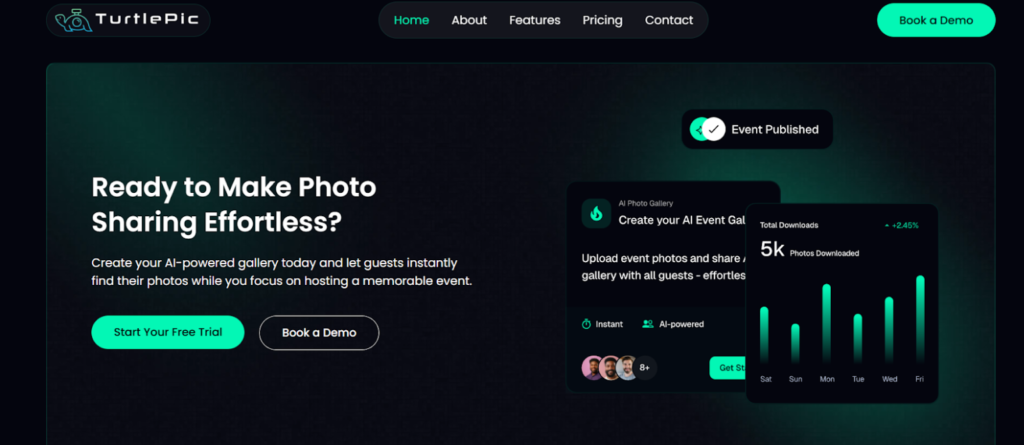
Upload Once, Deliver to Everyone Automatically
The single biggest time saving TurtlePic offers is removing the photographer from the distribution process entirely. Once photos are uploaded to TurtlePic, the platform’s AI face recognition automatically handles delivery to every guest. Photographers do not sort photos by person, do not send individual messages, and do not manage who receives what. Upload once and TurtlePic does everything that comes next.
AI Face Recognition With 99.9% Accuracy
TurtlePic’s AI face recognition scans the entire event gallery and matches every photo to the guests who appear in it with 99.9% accuracy. Guests who register by scanning a QR code or opening the event link take a selfie and instantly see only their own photos. The matching happens automatically and in seconds regardless of how many photos are in the gallery or how many guests are registered. For a marathon with 10,000 participants or a wedding with 300 guests, the delivery process takes the same amount of effort from the photographer – none.
QR Code Access – No Manual Guest Management
TurtlePic generates a QR code for every event that can be displayed at the venue, shared digitally, or printed on event materials. Guests scan the QR code, register once, and are automatically notified when their photos are ready. There is no manual guest list to manage, no individual invitations to send, and no follow-up required. The QR code handles guest onboarding from the moment it is placed at the venue.
Real-Time Photo Sharing During the Event
TurtlePic supports live uploads during the event meaning photographers can upload photos as they shoot and guests receive their photos while the event is still happening. For photographers who want to offer same-day or real-time delivery as part of their service, TurtlePic makes this possible without any additional workflow complexity. Upload from the venue and guests receive their photos on their phones within minutes.
Bulk Upload for Large Event Galleries
TurtlePic’s bulk upload handles large event galleries efficiently, thousands of photos uploaded in a single batch without file size caps or upload limitations. For photographers who shoot high-volume events like marathons, corporate conferences, or large weddings, bulk upload removes the friction of managing large file transfers and ensures the entire gallery is published and ready for guests as quickly as possible.
Instant Guest Notifications
Once photos are published on TurtlePic, every registered guest receives an instant notification that their photos are ready. There are no manual notification messages, no WhatsApp broadcasts, and no email lists to manage. TurtlePic handles guest communication automatically ensuring every guest knows their photos are available at exactly the right moment without any additional effort from the photographer.
Photo Selection for Album Printing – No Back and Forth
One of the most time-consuming post-delivery tasks for event and wedding photographers is managing the photo selection process for album printing. Traditionally this involves sending a gallery, waiting for client feedback over WhatsApp or email, manually tracking which photos were selected, and going back and forth until the final selection is confirmed.
TurtlePic eliminates this entirely. When photographers share the AI gallery with their client, the client can simply like or add photos to their favorites directly within the gallery. The photographer can then see exactly which photos the client has selected on their TurtlePic dashboard without a single message exchanged. From the dashboard, photographers can download the selected photos in original resolution, download them with their original file names, or export a Lightroom copy list for seamless integration into their editing workflow. This saves significant time, removes the confusion of scattered feedback, and keeps the entire selection process in one place.
Bulk Download – No Google Drive or External Links Needed
TurtlePic removes the need for Google Drive links, WeTransfer, or any external file sharing tool for bulk photo delivery. Photographers have full control over download permissions for every event choosing whether guests can download photos in original resolution, compressed resolution, or not at all. Guests who are permitted to download can bulk download their entire personal gallery in one go rather than saving photos one by one. For photographers this means the delivery workflow ends at upload and there is no separate file transfer step, no drive folder to organize, and no expiring links to manage.
Branded Galleries – Every Delivery Reinforces Your Business
Every gallery delivered through TurtlePic carries the photographer’s branding – logo, business name, and contact details visible to every guest who accesses their photos. In a traditional delivery workflow using drive links or WhatsApp, the photographer’s identity disappears the moment the photos are shared. With TurtlePic, every photo delivery is also a brand impression. Guests who share their photos, return to view them, or recommend the photographer to a friend do so through a branded experience that keeps the photographer’s identity front and center – turning every event delivery into an ongoing marketing touchpoint.
Public and Private Link Options for Flexible Delivery
TurtlePic gives photographers the flexibility to choose how guests access the gallery. With a public link, guests can view all photos and search for their own with a selfie. With a private link, guests can only see their own photos after selfie verification – with no access to anyone else’s images. Both options are set up in seconds and require no additional configuration after the event is uploaded.
How Much Time Can Event Photographers Actually Save?
To understand the real impact of a faster delivery workflow, here is a practical comparison between a traditional manual delivery workflow and a TurtlePic-powered workflow for a typical event with 500 guests and 2,000 photos:
| Workflow Stage | Traditional Workflow | TurtlePic Workflow |
| Culling 2,000 photos | 3 to 4 hours manually | 30 minutes with AI culling tool |
| Batch editing with presets | 4 to 6 hours | 2 to 3 hours with Lightroom presets |
| Exporting files | 1 hour manual configuration | 15 minutes with saved export presets |
| Organizing into folders and Drive | 1 to 2 hours | Not required – upload directly to TurtlePic |
| Sending event photos link to 500 guests | Not practical manually | Automatic – guests self-serve via face recognition |
| Managing guest follow-ups | 2 to 3 hours of messages | Zero – guests notified automatically |
| Photo selection for album printing | 2 to 3 hours of back and forth | Clients select favorites in gallery – dashboard shows results instantly |
| Total estimated time | 14 to 19 hours | 3 to 4 hours |
The numbers above are estimates based on a typical event photography workflow actual time savings will vary depending on event size, shooting style, and existing tools. But the direction is consistent across every event type and every photographer who makes the switch from manual delivery to an AI-powered workflow.
The most significant saving is not in editing or exporting, it is in the delivery and guest management stages that most photographers do not even account for when they think about their turnaround time. Responding to guests asking where their photos are, manually sorting photos by person, managing drive links, and handling photo selection feedback are all invisible time costs that add up to hours after every single event. TurtlePic removes all of them in one step.
Beyond the time saving, faster delivery changes how clients and guests experience the photographer’s work. A photographer who delivers 2,000 edited photos to 500 guests within hours of an event ending, with every guest receiving only their own photos, automatically, in original resolution is not just faster than the competition. They are offering a categorically different level of service that clients remember, recommend, and pay more for.
Conclusion – How Event Photographers Can Deliver Photos Faster in 2026
Photo delivery is where event photography businesses are won and lost. The quality of the photos matters enormously but so does how quickly and smoothly those photos reach the people who are waiting for them. In 2026, photographers who deliver fast do not just meet client expectations, they exceed them in a way that generates referrals, repeat bookings, and a reputation that sets them apart from every competitor still working through a manual workflow.
The path to faster delivery is not complicated. Smarter culling with AI tools, batch editing with consistent presets, saved export settings, and a purpose-built delivery platform remove the bottlenecks that are costing photographers hours after every event. Each step compounds shaving time at culling, editing, exporting, and delivery adds up to a workflow that takes a fraction of the time a manual process requires.
TurtlePic handles the final and most time-consuming part of that workflow which is getting the right photos to the right people, automatically, at scale. Upload once and every guest receives their photos instantly through AI face recognition and QR code access. Photo selection for album printing happens in the gallery without a single back and forth message. Bulk downloads replace drive links. Branded galleries replace anonymous file transfers. And real-time sharing during the event itself turns photo delivery from a post-event task into a live experience that guests remember long after the event is over.
Faster delivery is not just about saving time. It is about delivering an experience that reflects the quality of the photography and building a business that clients trust, recommend, and come back to. TurtlePic is built to make that possible for every event photographer, at every scale, for every type of event.