The fastest way to deliver wedding photos is to use cloud galleries (e.g., Pixieset) for polished delivery and AI platforms like TurtlePic to automate face-matching and per-recipient routing; reserve WeTransfer or Google Drive for quick sneak-peeks or RAWs. Faster delivery meets client expectations, boosts referrals, and preserves quality by shifting labor to automation.
Every wedding photographer knows this feeling: thousands of images to cull, edit, and export, and the clock started the moment the reception ended. Couples are already on their honeymoon, phones in hand, refreshing their inbox and wondering where their photos are. So what is the fastest way to send wedding photos to clients, and how do you shorten that delivery timeline without compromising on quality? The answer lies in understanding where the real bottlenecks are and which workflow changes move the needle most.
Delivery speed has quietly become one of the most powerful competitive advantages in wedding photography. It is no longer a nice-to-have but a genuine differentiator that shapes reviews, referrals, and repeat business. The good news is that the whole delivery pipeline has improved dramatically. AI-powered platforms like TurtlePic now automate the most time-consuming part of post-event delivery, routing photos to the right recipients without manual sorting. Before we get to that, it helps to understand the full picture: what the different delivery methods actually offer, where the bottlenecks live, and which changes have the greatest impact.
Why clients now expect photos sooner than ever
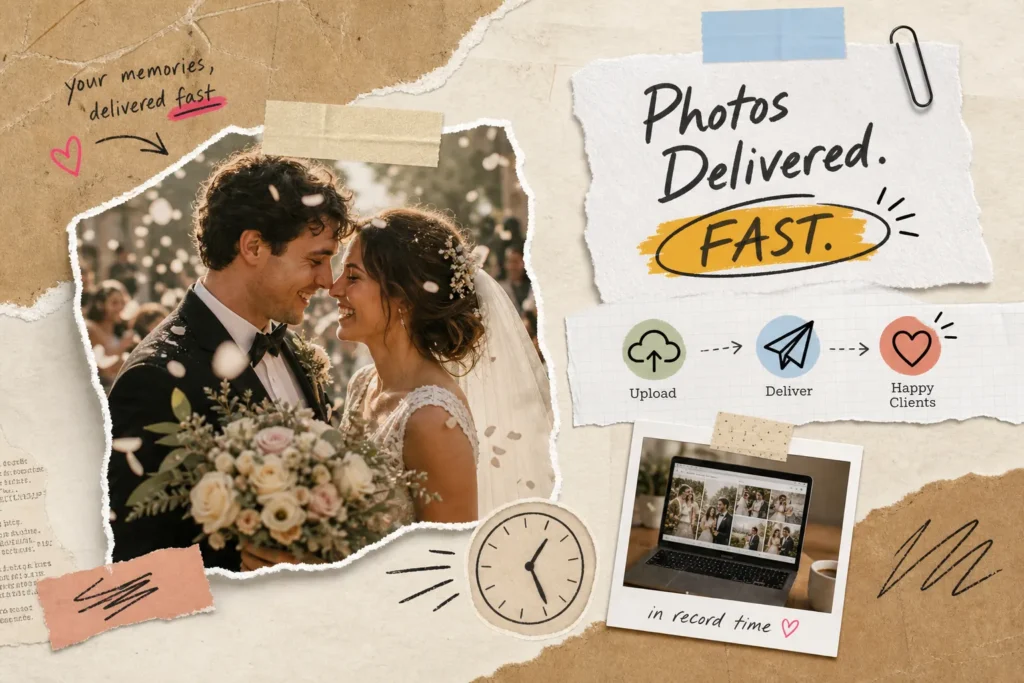
Wedding photographers used to deliver full galleries in four to six weeks with almost no pushback. That window has shrunk to one to two weeks for most couples, with sneak-peek images expected within hours. The reason is straightforward: couples want to share before the emotional momentum fades and before the conversation in their circle moves on. This is not a passing trend, it is the new baseline expectation, and photographers who have not adjusted their timelines are losing ground to those who have.
Speed also has a direct and measurable effect on referrals. A photographer who sends a polished sneak peek the morning after the wedding gives the couple something to share with family and friends while the joy is still raw. That warm, emotional share generates the most credible word-of-mouth referrals. Slow delivery, even when the final images are genuinely beautiful, becomes the detail people mention when recommending a photographer, or choosing not to.
What is the fastest way to send wedding photos to clients: the main delivery methods
Cloud gallery platforms such as Pixieset, Pic-Time, and ShootProof are the professional standard for a reason. They support branded galleries, download permission controls, expiry links, print ordering, and automated reminder emails for clients who bookmark the link and never come back to download.
Pixieset’s plans range from a free 3 GB tier up to an unlimited storage plan at around $40 per month billed annually, with individual file uploads supported up to 100 MB. Pic-Time’s Advanced plan, which includes unlimited storage, sits at $42 per month billed annually, or $50 billed monthly.
These platforms look polished from the client’s perspective, but they do not shorten the work that happens before the upload, which is where most of the delay actually sits.
File transfer tools like WeTransfer and Google Drive have their place, but it is a narrow one. They work well for sending a quick sneak-peek batch or routing RAW files to a retouching studio, and they are a practical option for photographers who need to send large photo files to clients quickly without a gallery subscription. They do not offer branded galleries, access controls, print ordering, or automated reminders, which makes them a short-term fix rather than a long-term client delivery solution.
AI-powered delivery platforms represent the most significant shift in how fast distribution actually works. TurtlePic uses AI-driven face matching to automatically identify and route photos to the right recipients based on event data and facial recognition. Instead of manually sorting a gallery and sharing a single blanket link, the system handles the entire distribution logic. For wedding photographers managing family formals, bridal party portraits, and candid guest coverage across a single event, this automation removes the most labour-intensive step after editing is complete.
How upload speeds affect the fastest way to send wedding photos to clients
Understanding your actual upload speed changes how you plan delivery. At 10 Mbps, a 5 GB wedding gallery takes roughly one hour and seven minutes to upload. At 20 Mbps, that drops to 33 minutes, and at 50 Mbps it falls to just 13 minutes. Scale up to a 20 GB gallery on a 10 Mbps connection and you are looking at over four hours of upload time.
For context, the median fixed-broadband upload speed in India was 94.21 Mbps in the Ookla Speedtest Global Index for June 2026, at which the same 20 GB gallery finishes in well under an hour. Work from your own measured speed rather than an assumed one.
Home broadband upload speeds in India have improved considerably in recent years, but real-world performance on a shared studio network at midnight after a full shooting day is often well below the headline figure, particularly during peak hours when ISPs experience higher congestion.
The practical implication is this: do not wait until the full gallery is ready before making contact with your client. Export your 50 to 100 strongest hero images immediately after culling, upload that batch first, and send a preview link the same night. The full gallery can follow over the next 24 to 48 hours. This approach gives the couple something tangible and share-worthy while your primary upload runs in the background, and it signals professionalism from the very first touchpoint.
A workflow that cuts delivery time significantly
The biggest time savings in a fast-delivery workflow are not in the upload itself, they are in the steps before it. Back up your cards the moment the event ends, then run a two-pass cull: reject obvious failures first (blur, missed focus, closed eyes), then select your best frames from the reduced set. AI culling tools like AfterShoot can cut cull time by half on large wedding galleries, which translates directly into faster delivery without any compromise on image selection quality.
Save separate export presets for every deliverable type rather than configuring settings manually for each job. Your sneak-peek preset should produce web-optimised JPEGs resized to a consistent long-edge dimension, in sRGB colour space, at high quality. Apply a saved style preset to the entire batch immediately after culling, then do manual refinements only on hero images. Organise your exports into clearly labelled folders before you start uploading so you can drag entire batches into your gallery platform without re-sorting on the fly.
Your full client gallery preset should output full-resolution or near-full-resolution JPEGs in sRGB. Your print-ready preset should be uncompressed and full-resolution. These distinctions matter for proofing galleries and downloads: clients browsing on mobile do not need the same file weight as a print vendor preparing a 24×36 canvas. Keeping these presets separate avoids the common mistake of uploading print-weight files to an online gallery, which slows both the upload and the client’s download experience.
Once editing is complete, TurtlePic’s AI matching engine handles the step that traditionally required the most manual effort. Rather than building out separate folder structures for the couple, the bridal party, and individual guest groups, the platform’s face-matching system manages that distribution automatically. Photographers shooting several weddings a month find this particularly valuable, it removes hours from each job without requiring any additional effort per delivery.
Platform features that actually affect the client experience
Storage tiers and per-month pricing are easy to compare, but the features that shape how clients actually feel about receiving their photos are more nuanced. Branded galleries with your studio name and logo add a level of professionalism that generic file-sharing links cannot match. Download permission controls let you decide whether clients receive full-resolution originals or web-optimised versions. Automated expiry links protect your images from circulating indefinitely. Automated reminder emails recover downloads from clients who bookmark the link intending to return and then forget to do so.
Print ordering built directly into the client gallery turns delivery into a revenue moment rather than just a handoff. Platforms like Pic-Time and Pixpa support print sales, wall art, and album ordering from within the branded gallery environment. Clients browse their images and order without leaving the experience you have created for them. For photographers who want to grow product revenue without adding complexity to their workflow, integrating print ordering into the delivery platform is the most efficient path available.
- Branded gallery with studio name and logo for a professional first impression
- Download permission controls to manage full-resolution access
- Automated expiry links and reminder emails to protect your work and recover forgotten downloads
- Print ordering integration to convert delivery into a sales opportunity
- AI-powered sharing (available on platforms like TurtlePic) to eliminate manual searching entirely
Security and consent basics for electronic delivery in India
A private gallery with a unique password and an expiry date is the minimum security standard for secure client photo delivery. Restrict access so only the intended client can download the files. If second shooters, retouchers, print vendors, or album designers handle the images at any stage, put a written agreement in place before they access anything. These are not bureaucratic extras, they are what separates professional delivery from a genuine privacy liability.
Your client contract should cover the delivery method, the file retention period for both RAW and edited files, who is permitted to access the gallery, and what the couple may do with the images; whether that is personal printing, social media sharing, or gifting copies to family. If you want to use any images for your own portfolio, website, or social media marketing, obtain specific and separate consent for that use. Under India’s digital privacy framework, explicit informed consent is not optional. It protects both your clients and your business, and it should be in writing before the shoot begins rather than assumed after delivery.
If minor children appear in the images and you intend to use those photographs for any purpose beyond direct delivery to the client, obtain verifiable parental consent. If the wedding involved a large number of identifiable guests and you plan to use candid crowd images publicly, consent for that use should be documented separately. Getting this right at the contract stage eliminates complications at delivery and builds the kind of trust that generates long-term referral relationships.
Choosing the right approach for your workflow
The right delivery method depends on your shooting volume, typical gallery size and how much post-event administration you can realistically absorb. Cloud gallery platforms like Pixieset and Pic-Time offer a polished, controlled client experience with print ordering and branded galleries. File-transfer tools are ideal for internal handoffs between you and your editing team or for quickly sending large photo files when a full gallery is not required.
TurtlePic delivers powerful features to speed up your workflow: AI face-recognition to identify subjects for personalised delivery, photo-selection tools tailored for album printing, and branded galleries for a professional client touchpoint. It supplies all deliverables in the original resolution in which the photos were uploaded, enabling clients and guests to download full-resolution images directly, no need for Google Drive or WeTransfer. TurtlePic also lets photographers and businesses manage team members by assigning roles and permissions for collaborative workflows.
If you are still asking what is the fastest way to send wedding photos to clients, start with one change this week. If your internet connection is the bottleneck, build the sneak-peek batch habit and send a preview link the same night. If your cull time is the bottleneck, trial an AI culling tool on your next job. If manual gallery organisation is eating hours after every wedding, explore what TurtlePic’s automated matching can do for your specific workflow. The couple on their honeymoon is already checking their inbox, the faster you get there, the more your name comes up in the right conversations.
Frequently Asked Questions
What is the fastest way to send wedding photos to clients?
Send a small, polished sneak peek within 24 hours, then the full gallery when it is ready. For the sneak peek, a file transfer link or a quick gallery upload is enough. For the full set, a cloud gallery such as Pixieset, Pic-Time or ShootProof handles branding, download controls and print ordering in one place. If the same photos also need to reach many individual guests rather than just the couple, an AI face-matching platform such as TurtlePic routes each person their own images automatically, which removes the manual sorting step entirely.
How can I deliver a polished sneak peek the morning after the wedding?
Pick 20 to 100 of your strongest frames, apply your standard preset in batch, and export them at a reduced long edge rather than full resolution. A small batch uploads in minutes instead of hours. Send them as a file transfer link, or upload them to your gallery and share the link. The sneak peek the morning after is the batch a couple shares first, which makes it the one most likely to bring you referrals.
Are cloud gallery platforms like Pixieset, Pic-Time and ShootProof a good choice for final galleries?
Yes. They are the established choice for a final wedding gallery because they combine branded galleries, download controls and print ordering in one place, which a generic file transfer link cannot do. Pic-Time additionally runs automated reminder and re-engagement emails after delivery. Check the specific feature you need against the plan you are actually buying, because the entry tiers on each platform are limited.
When should I use WeTransfer or Google Drive instead of a gallery platform?
Use them for short-lived transfers: a sneak-peek batch, a set of RAW files going to a retouching studio, or anything needed within the next few hours. They are quick and ask nothing of the recipient. What they do not provide is branding, access control, print ordering, expiry dates or reminder emails, and links expire on the free tiers. They work as a transfer step, not as the place the finished gallery lives.
What do Pixieset and Pic-Time cost?
Checked on their pricing pages on 11 August 2026. Pixieset Client Gallery runs from a free 3 GB plan up to Ultimate at 40 US dollars per month billed annually, or 50 billed monthly, which lists unlimited photo storage but caps RAW uploads at 1,000 GB. Pic-Time runs from a free plan up to Advanced at 42 US dollars per month billed annually, or 50 billed monthly, which lists unlimited storage subject to its terms. Both vendors change pricing without notice, so confirm before you commit.
What is the main bottleneck in wedding photo delivery, and how do I fix it?
For most wedding photographers it is post-production, not the upload. Culling thousands of frames and editing them one at a time is what turns delivery into weeks. Attack that first with a two-pass cull, a saved preset applied in batch, and saved export templates so you are not rebuilding settings for every wedding. Upload only becomes the limiting step on a slow connection or a very large gallery. The median fixed-broadband upload speed in India was 94.21 Mbps in the Ookla Speedtest Global Index for June 2026, at which a 20 GB gallery uploads in well under an hour.
Will focusing on speed mean compromising photo quality?
No, because speed comes from removing manual steps rather than from compressing files. A two-pass cull, batch presets and saved export templates shorten the timeline without touching image quality. Reducing size is a deliberate choice for the small sneak-peek batch only, not for the final gallery. Send the sneak peek small and fast, and the final gallery at full resolution.