Many photographers find themselves spending hours after an event sorting through hundreds of shots and manually sending folders to guests who may never open them. You shoot, you cull, you build folders, you send links, and then you wait to see if anyone actually downloads the photos. AI photo delivery can change that pipeline significantly, automating most of the manual steps between shooting and delivery so you can focus on the next shot rather than the next folder.
This article covers how face recognition matches photos to individual guests, how automated sorting removes the bulk of the manual work, and how instant notifications reach guests the moment their photos are ready. By the end, you’ll understand exactly how the technology works and what to look for when choosing a platform for your events.
What “AI photo delivery” actually means (and why it’s different from a shared album)
A shared Google Drive or Dropbox link puts the burden entirely on the guest. They scroll through hundreds of photos, squinting at thumbnails to find themselves, and many guests find this tedious enough that they simply stop looking. AI photo delivery flips this dynamic: the platform finds the guest’s photos and pushes them directly to that person, automatically. The guest doesn’t browse. They receive.
This distinction matters because it changes the entire post-event experience for photographers and attendees alike. At a 50-person birthday dinner, manual sorting is merely annoying. At a 500-person corporate gala or a school graduation with 800 graduates, it becomes genuinely unworkable. AI photo delivery is where scale makes the technology essential, not just convenient. As guest counts grow, so does the value of having the platform handle the distribution.
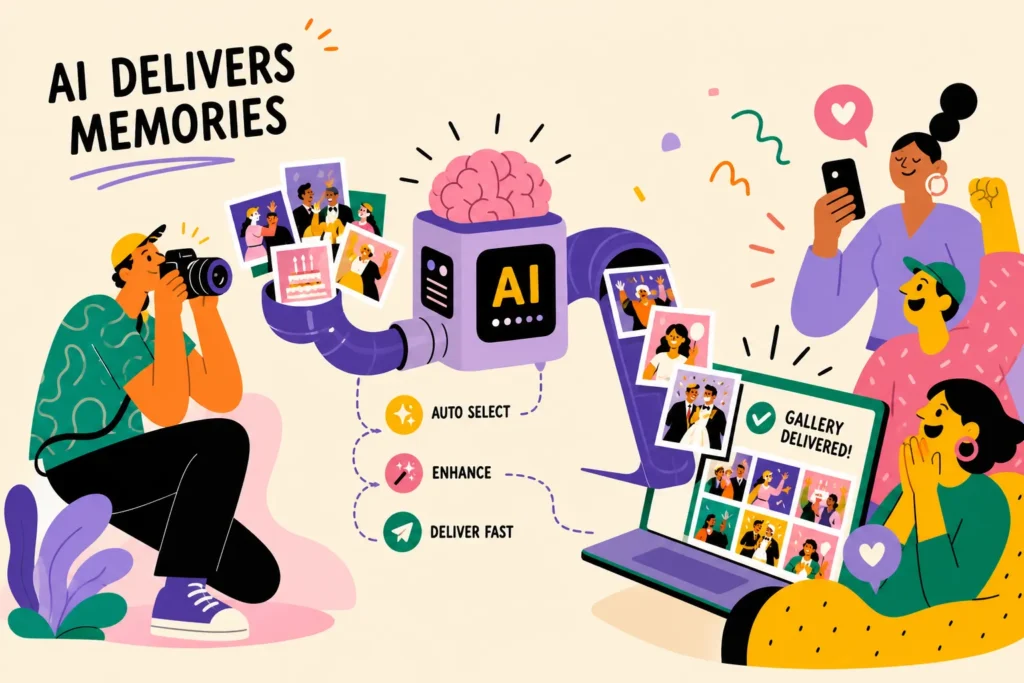
How facial recognition matching works inside the platform
When a photo is uploaded to an AI photo delivery platform, the system runs a face detection pass to locate every face in the frame. For each detected face, it extracts a mathematical embedding, a unique numerical vector representing the distances, proportions, and geometry of that person’s facial features. This embedding is what gets compared, not the raw pixel image. Two photos of the same person produce vectors that sit close together in embedding space, while different people produce vectors that sit far apart.
At registration, guests either submit a selfie or their face is captured on arrival. The platform stores an embedding for each guest. When event photos arrive, the system compares each face embedding against every stored guest embedding, returning a match when the similarity score clears a set threshold. The detection-to-match pipeline typically completes in seconds per image, based on benchmarks published by several major platforms.
If you want to understand more about how face recognition helps attendees find their event photos, see How Face Recognition Is Transforming Event Photo Search.
Understanding accuracy in real-world conditions
Published accuracy figures in this category sit in a narrow band. TurtlePic states 99.9%, and on their own homepages Photomall states 99.9% and Memzo states 99.3% (both checked 19 August 2026). What a figure like that cannot tell you is how many faces your camera captured clearly enough to match: poor lighting in venue corners, motion blur from dancing, off-angle shots, and occlusions like raised glasses or hair all reduce how many usable faces reach the system in the first place.
Understanding that distinction helps you set the right expectations with clients and choose a platform that handles edge cases gracefully rather than misdelivering photos. Test in realistic conditions before your first event, not after — a platform performing well under bright studio light is working from very different frames than one shooting a dimly lit wedding hall or a large convention centre with mixed ambient lighting.
Automated sorting: how thousands of photos get organised without touching them
Modern AI photo delivery platforms accept continuous uploads from a tethered laptop, an FTP-enabled camera, or a mobile hotspot. As photos land in the cloud, the system immediately indexes faces and tags images with event metadata. Camera FTP configuration typically takes about an hour the first time, but once your camera profile is saved, future events on the same platform take minutes to set up.
Once faces are indexed, the platform clusters photos by individual. A guest’s gallery builds automatically as new matching photos arrive throughout the event. Some platforms also support segment tagging, separating ceremony from reception, or conference keynote from breakout sessions, which adds a useful layer of organisation when you’re delivering to multiple client groups from a single shoot.
What changes in your actual workflow
The traditional workflow runs something like this: shoot, import, cull, sort into named folders, export, upload, share links individually. AI-driven sorting can compress that to: shoot, upload, deliver. The platform handles most of the middle steps, reducing or removing entire categories of routine work that photographers currently do by hand. That said, most workflows still include a brief review pass after the event to catch any obvious mismatches, the productivity gain is real and substantial, even if it isn’t quite zero-touch from start to finish.
How guests access and receive their photos
Guest access typically comes through one of three routes: branded QR codes placed at the venue, selfie-based check-in on arrival, or face-search portals where guests upload a photo to find themselves after the event. QR codes work well for seated events like graduations and galas. Selfie check-in suits high-traffic arrivals like conferences, where guests move quickly through registration. Face-search portals cover post-event delivery when guests weren’t registered in advance.
Once photos are matched, the platform notifies each guest through their preferred channel. SMS, email, and WhatsApp all deliver direct links to private, personalised galleries. WhatsApp delivery is particularly effective for events in India, where it functions as a primary communication channel for a large share of attendees, a notification often lands within seconds of a match being confirmed, which is a meaningfully different experience from receiving a folder link three days later. On TurtlePic, registered guests get an email automatically when their photos are ready, and photographers can also send every guest a private WhatsApp message with their gallery link in one tap from the dashboard.
A well-designed platform gives each guest access only to their own photos by default, with the option to unlock the full gallery if the photographer chooses. This limits unwanted browsing, keeps the delivery experience personal, and simplifies data management on your end. Guests aren’t scrolling through photos they have no connection to, and you’re not fielding requests about why someone else’s photos are visible in a shared album.
What a full AI photo delivery workflow looks like at an event
A proper setup starts before the event, not on the day. You create the event gallery, configure upload settings, generate and print QR codes for venue placement, and run a test upload to confirm the pipeline works on the venue’s network. For a first event on a new platform, expect to spend a few hours on configuration; vendor setup guides often suggest a range of 30 to 60 minutes for those familiar with the platform. Subsequent events on the same system are considerably faster.
While you shoot, photos flow to the cloud continuously. The platform indexes faces in near real time, builds individual guest galleries, and begins delivering notifications as matches accumulate. Guests at the event can often access their photos while it’s still running, which creates an in-the-moment experience that extends the event’s social reach organically. Guests share and tag their photos while the music is still playing, good visibility for both the venue and the photographer.
After the event, most workflows include a brief review pass to catch any obvious mismatches or missed shots, followed by a final gallery publish. Photographers can then send a follow-up notification to guests who haven’t yet opened their galleries. When the AI pipeline has done its job correctly, the post-event workflow is measured in minutes rather than hours.
Choosing the right AI photo delivery platform for your work
Not all platforms are built equally. The features that matter most in practice are face-matching accuracy in imperfect lighting, the range of delivery channels supported (including WhatsApp for Indian events), privacy controls that limit guest access to their own photos, and whether the platform preserves full-resolution image quality without compression. Pricing structure matters too: per-event flat fees are generally more predictable than per-attendee or percentage-based models as event size grows, and that difference becomes significant once you’re regularly shooting events with several hundred guests.
If you’re comparing different platforms before choosing one, we’ve also put together a guide to the best photo delivery apps for event photographers
Consent and data retention
It’s worth paying close attention to how platforms handle consent and data retention. Because AI photo delivery processes biometric data, including face images and mathematical embeddings, it carries clear consent obligations, particularly given ongoing discussions around data protection frameworks in India. The best practice is to inform guests at registration that facial recognition is being used and explain what the data is used for.
Deleting embeddings after the event closes is standard good practice and a feature worth confirming before you commit to a platform. A system with built-in consent flows and automatic data deletion on event closure makes this far easier to handle correctly than building consent processes yourself on top of a generic gallery tool.
TurtlePic was built specifically for event photographers, schools, and organisers who need professional-quality delivery without enterprise pricing. Its AI matching engine identifies guests and delivers their photos automatically, reducing the need for manual sorting at scale. It preserves full resolution without compression, provides granular privacy controls, and is designed to be configured before the first guest walks in the door. For photographers who want to spend more time shooting and less time managing folders, it’s a strong option in this category, purpose-built, straightforward to configure, and priced for studios of all sizes.
Frequently asked questions
How do guests get access to their photos at an event?
Access usually comes through one of three routes: a branded QR code placed around the venue, a selfie taken at check-in, or a face-search page where guests submit a selfie after the event. QR codes suit seated events like graduations and galas, selfie check-in suits fast-moving conference registration, and face search covers guests who were never registered in advance.
Can guests see other people’s photos?
On a well-configured platform, no. Each guest sees only the photos they appear in by default, and opening up the full gallery is a choice the photographer makes rather than the default setting. That keeps the delivery personal and limits how much of the album any one attendee can browse.
Can guests get their photos while the event is still running?
Yes, if photos are uploading continuously during the event. The platform indexes faces as images arrive and builds each guest’s gallery in the background, so attendees can receive their matches before they leave rather than days later.
How are guests notified when their photos are ready?
Platforms send a direct link to a private gallery by SMS, email or WhatsApp, depending on what the photographer configures. WhatsApp is particularly useful for events in India, where it functions as a primary communication channel for a large share of attendees.
Does AI photo delivery remove the need for culling and editing?
No. What it removes is the sorting, folder-building and one-by-one link sharing that sit between editing and delivery. Most photographers still cull and edit, and still run a short review pass after the event to catch obvious mismatches, so the honest description is far less manual work rather than none at all.
What do you need to set up before the event?
Create the event gallery, configure the upload settings, generate and print QR codes for placement around the venue, and run a test upload on the venue’s own network before the day. The test upload is the step least worth skipping, because venue connectivity is what usually breaks a live delivery pipeline.
What should you check about consent and data retention?
Because face matching processes biometric data, meaning the guest’s image and the mathematical embedding derived from it, check that the platform tells guests at registration that facial recognition is in use, that it stores an embedding rather than a library of guest photographs, and that those embeddings are deleted when the event closes. A platform with consent and deletion built in is easier to run correctly than a consent process bolted on top of a generic gallery tool.
The technology is ready to use now
AI photo delivery works because it replaces a slow, manual process with an automated pipeline: face detection, embedding extraction, matching, sorting, and personalised notification. For photographers, that means fewer post-event hours and happier clients. For guests, it means finding their photos quickly rather than hunting through a shared album.
The technology is accessible now, and a growing range of platforms, including TurtlePic, have made automated event photo delivery practical for solo photographers and small studios, not just enterprise event companies with dedicated technical teams. If you’re still emailing Dropbox links after every event, the gap between what you’re doing and what’s possible is worth closing sooner rather than later.