
Tell the photographer how it went
Rate your gallery experience with a few taps. Your feedback goes privately to the photographer.
On this page3 sections
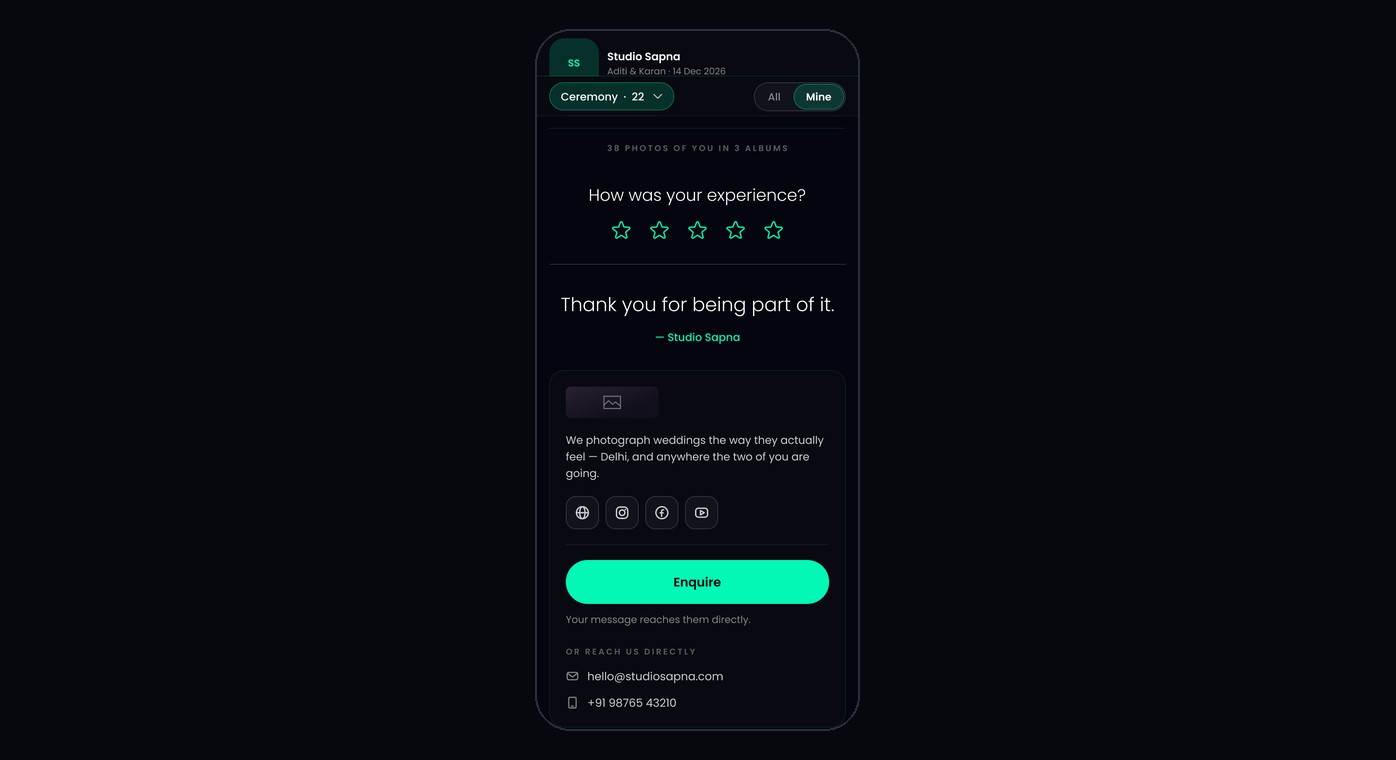
After you find your photos, you can rate your experience. This option appears when you entered your email before your selfie search.
Choose a rating
Scroll to the end of your photos. Under How was your experience?, tap a star.
Add a few details
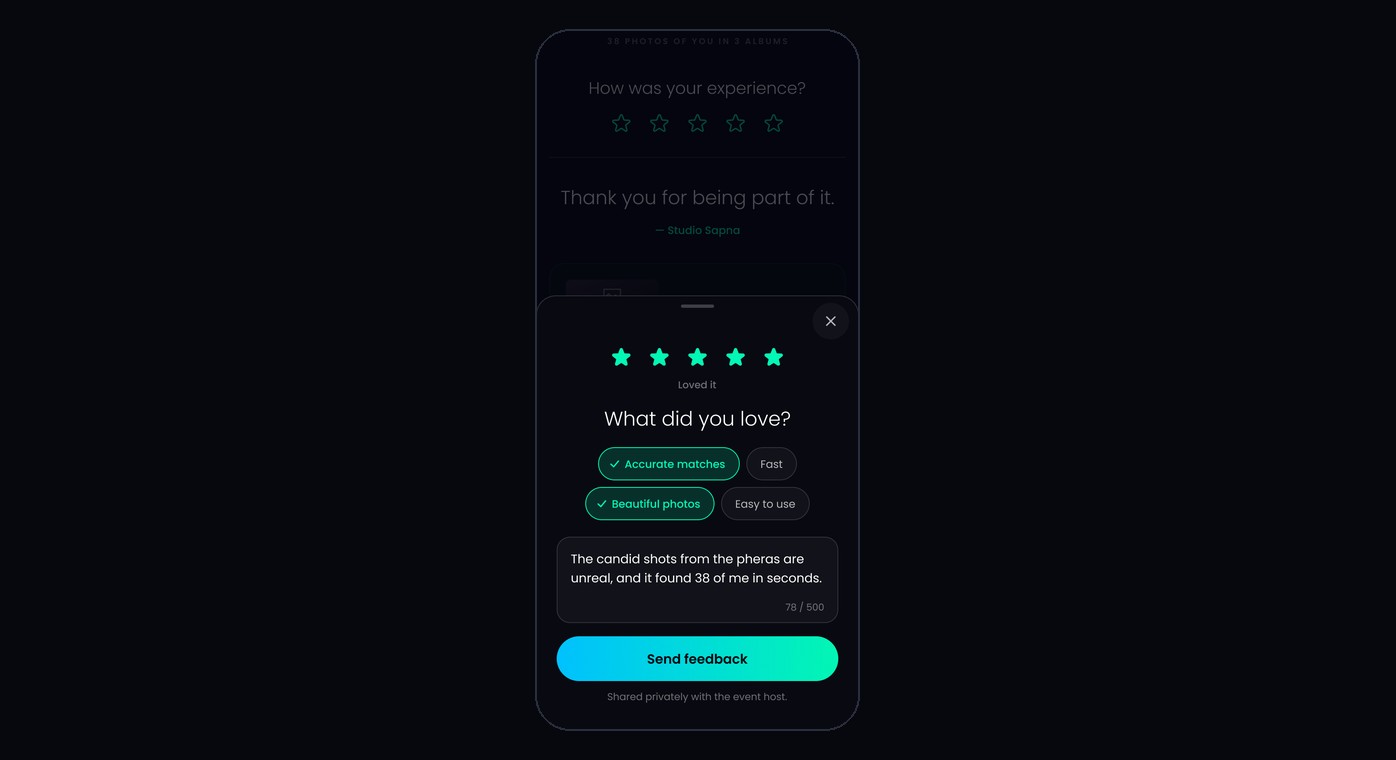
Pick anything that fits, such as Accurate matches or Photos missing, and add a note if you like. Then tap Send feedback.
Note
Your feedback is shared privately with the event host. Once sent, it can’t be changed.
What’s next
Was this article helpful?
Your answer helps us improve this guide.
Thanks for letting us know.