
Photographers with more than one name
A wedding brand and a corporate brand. A main studio and a second label. Keep each one separate, with its own logo, watermark and contact details.

Put your photography watermark and logo on every event gallery, without editing a single photo. Save each brand you work with as a brand kit, then choose which kit each event shows.
Free Forever plan, no credit card needed.
Trusted by 1,000+ businesses · 500K+ users · Used in 30+ countries
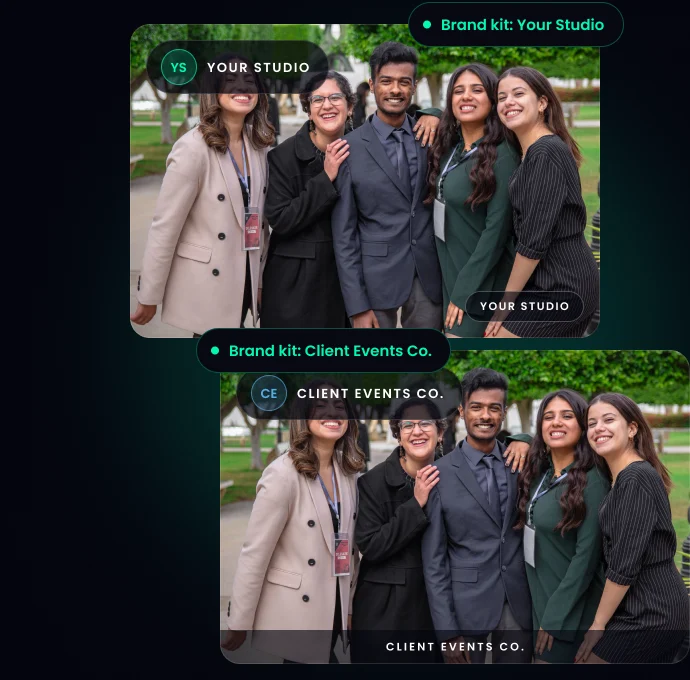
In short: TurtlePic adds your photography watermark to every photo guests download and puts your logo on the gallery. Both live in a brand kit, together with your brand name, about us, thank-you message, enquiry page title, and contact and social links. Keep one kit for your own studio and one for each client or second brand, and pick the kit per event.
Upload your event as it is. TurtlePic adds the watermark when a guest downloads a photo, on single photos and on ZIP downloads. Your original files never change, and photos viewed in the gallery stay clean.
No photography watermark maker, no batch watermark step and no second export. Read the step-by-step guide.

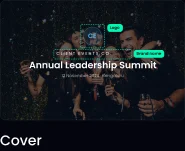
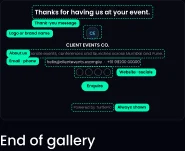
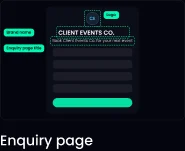
Your logo and brand name sit on the gallery cover and the top bar. Guests see your about us at the end of the gallery, your thank-you message as the closing line, and your contact and social links on the enquiry page, so they know who took the photos and how to book you.
Logo and brand name on the cover and top bar
About us at the end of the gallery
Thank-you message, the closing line guests read (up to 50 characters)
Enquiry page title, the heading on the page guests use to contact you
Contact and social links: email, phone, website, Instagram, YouTube and Facebook
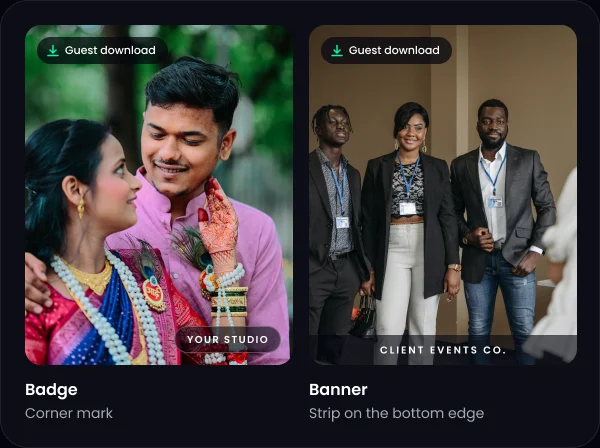
Photography watermark for guest downloads, as a badge or a banner
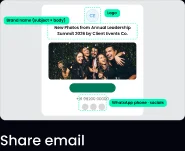
Every place a guest meets the event uses the kit you picked: the cover, the top bar, the end of the gallery, the enquiry page, the share email and the downloads. Change the kit and all of them change together.


A wedding brand and a corporate brand. A main studio and a second label. Keep each one separate, with its own logo, watermark and contact details.
Covering a conference for an event company, or shooting a wedding as a second team? Deliver the gallery under your client’s brand, with their logo and their contact details.
Run events for many clients and give each gallery the right name: the client’s logo on the cover, their watermark on downloads, their enquiry page.
A hotel with two banquet brands, a college with separate fests, a company with sub-brands. Every event carries the right name, from one login.
In Brand Kits, start blank or copy an existing kit and change only what differs.
Fill in the brand details and upload the watermark.
In the event’s Design tab, open Branding and choose the kit. New events start with your default kit.
Guests find their photos with AI face recognition and see only the brand you chose.

Every paid plan includes brand kits, so a new brand doesn’t mean a new subscription, a second login or a second storage plan.
| Plan | Brand kits included |
|---|---|
| Free Forever | TurtlePic kit |
| Starter | 1 |
| Basic | 1 |
| Standard | 2 |
| Pro | 3 |
| Elite | 5 |
| Ultra | Unlimited |
Need one more? On Yearly plans from Starter to Elite, an extra brand kit is ₹2,500 + GST ($30) a year.
See pricingIn TurtlePic, open Brand Kits, edit your kit and upload your watermark on the Watermark tab. Choose a badge or a banner and set the size, position and opacity. TurtlePic then adds it to every photo guests download from events that use that kit.
Yes. TurtlePic watermarks every guest download automatically, so there is no batch watermark step. Upload the event once and every single-photo and ZIP download carries the watermark.
No. TurtlePic adds the watermark only to the copies guests download. Your uploaded photos stay unchanged, and photos viewed in the gallery don’t show it.
A brand kit is a saved brand profile in TurtlePic. It holds a logo, brand name, about us, thank-you message, enquiry page title, contact and social links, and a watermark. Each event uses one kit.
Yes. In TurtlePic you choose the brand kit for each event in its Design tab, under Branding. One event can show your studio’s brand and the next can show a client’s brand.
It depends on your TurtlePic plan. Starter and Basic include 1 kit, Standard 2, Pro 3, Elite 5 and Ultra unlimited. Yearly plans from Starter to Elite can add extra kits. The Free Forever plan uses the TurtlePic kit.
Yes. Make a TurtlePic brand kit with your client’s logo, contact details and watermark, and pick it for their event. Guests see your client’s brand, not yours.
No. Paid TurtlePic plans show your own logo and watermark with no “Made with TurtlePic” badge. The Free Forever plan uses the TurtlePic kit and shows the badge.
Set up your first brand kit in a few minutes and add the next brand when you need it.
Start freeFree Forever plan, no credit card needed.