
Send a WhatsApp broadcast to guests
Send your gallery to guests on WhatsApp in four steps, with a test message first if you like.
On this page9 sections
Send your gallery straight to guests on WhatsApp. Each guest gets a message from TurtlePic with your event’s cover photo and a button that opens the gallery, where they find their photos with a selfie.
Note
WhatsApp broadcasts are part of every paid plan and use WhatsApp message credits. Only the account Owner, an Admin or a Manager can send them.
Before you start
- WhatsApp message credits in your account.
- Your guests’ WhatsApp numbers: from guests who registered, or in a CSV or Excel file.
Open Send by WhatsApp
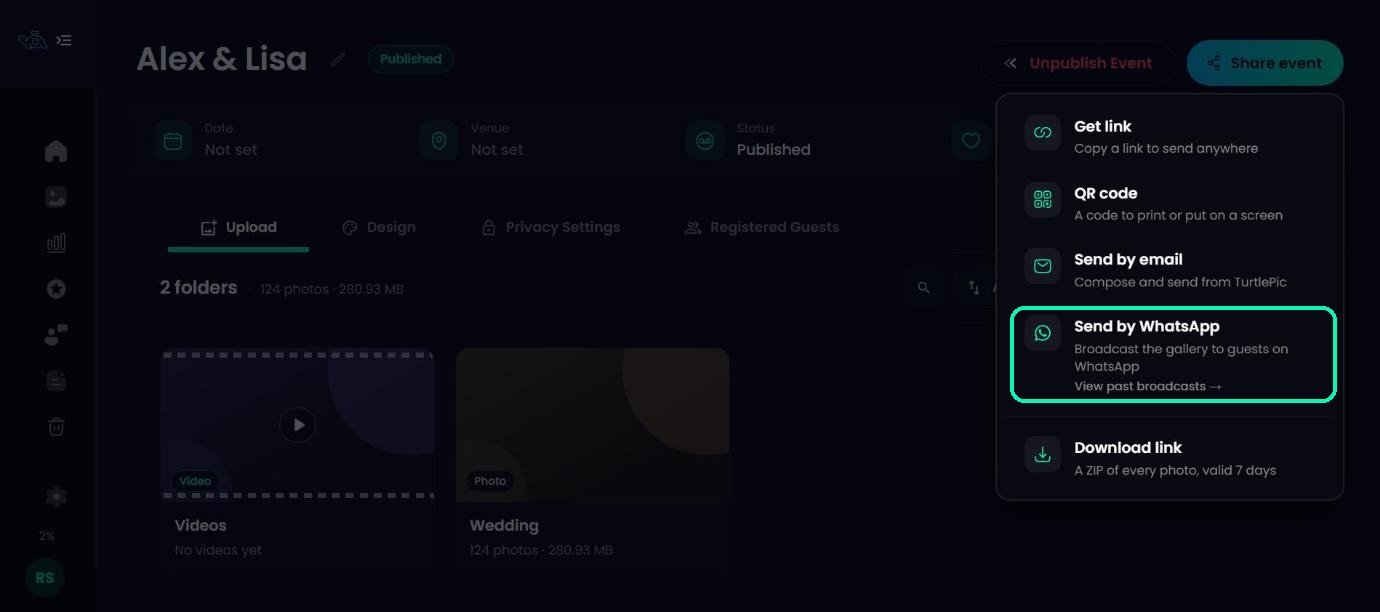
Open your event, click Share event and choose Send by WhatsApp. The broadcast has four steps: Recipients, Link, Message and Review & send.
Choose your recipients
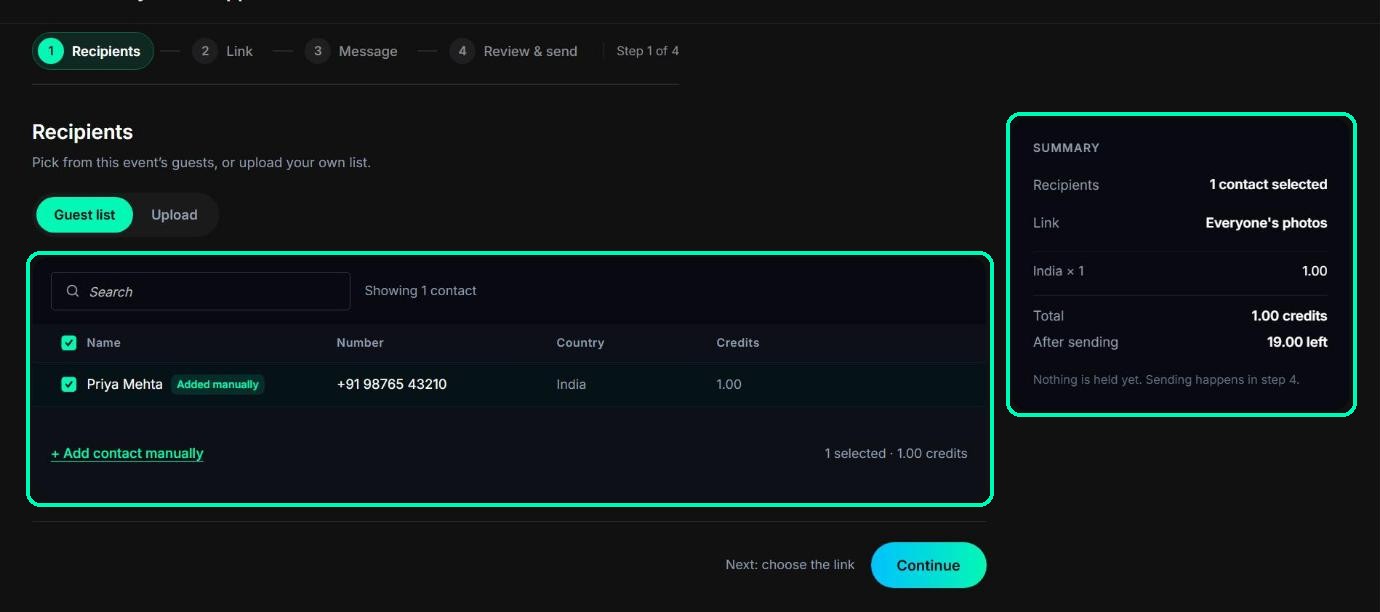
Pick guests from this event’s Guest list, or Upload your own list. The panel on the right shows how many credits the broadcast will use as you go. Nothing is charged until the last step.
Tip
For the details, including uploading a file and adding contacts by hand, see Add guests to a WhatsApp broadcast.
Choose the link
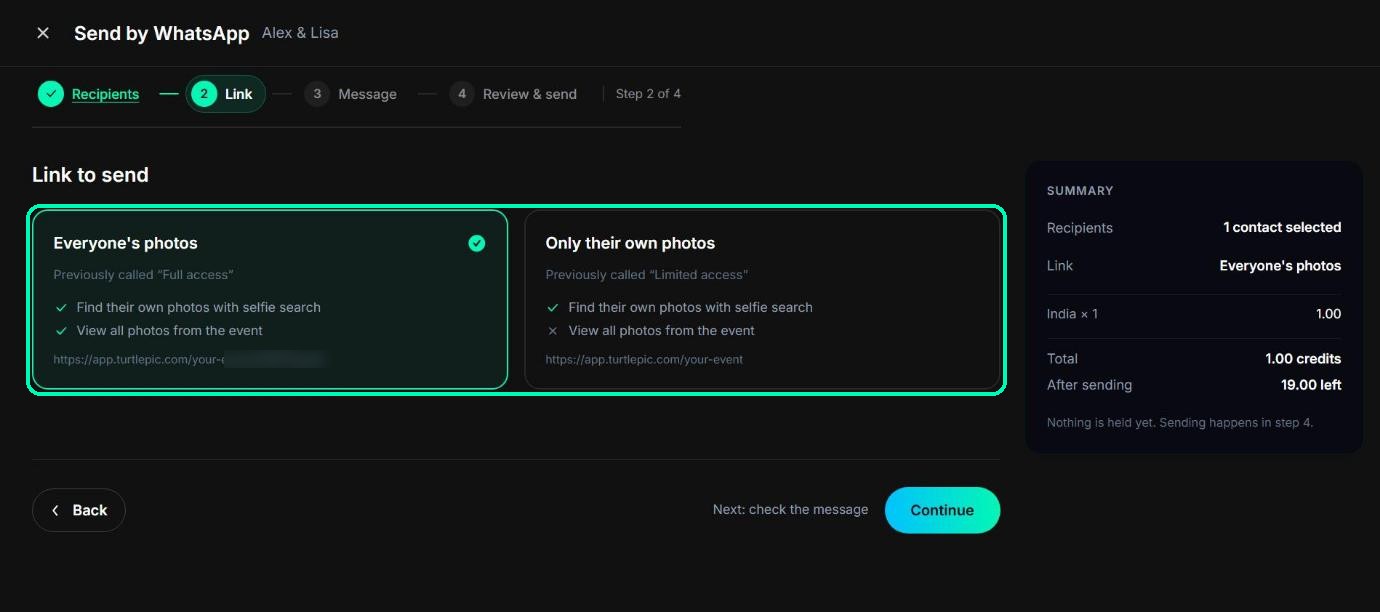
Choose what guests can see: Everyone’s photos, or Only their own photos after a selfie.
Check the message
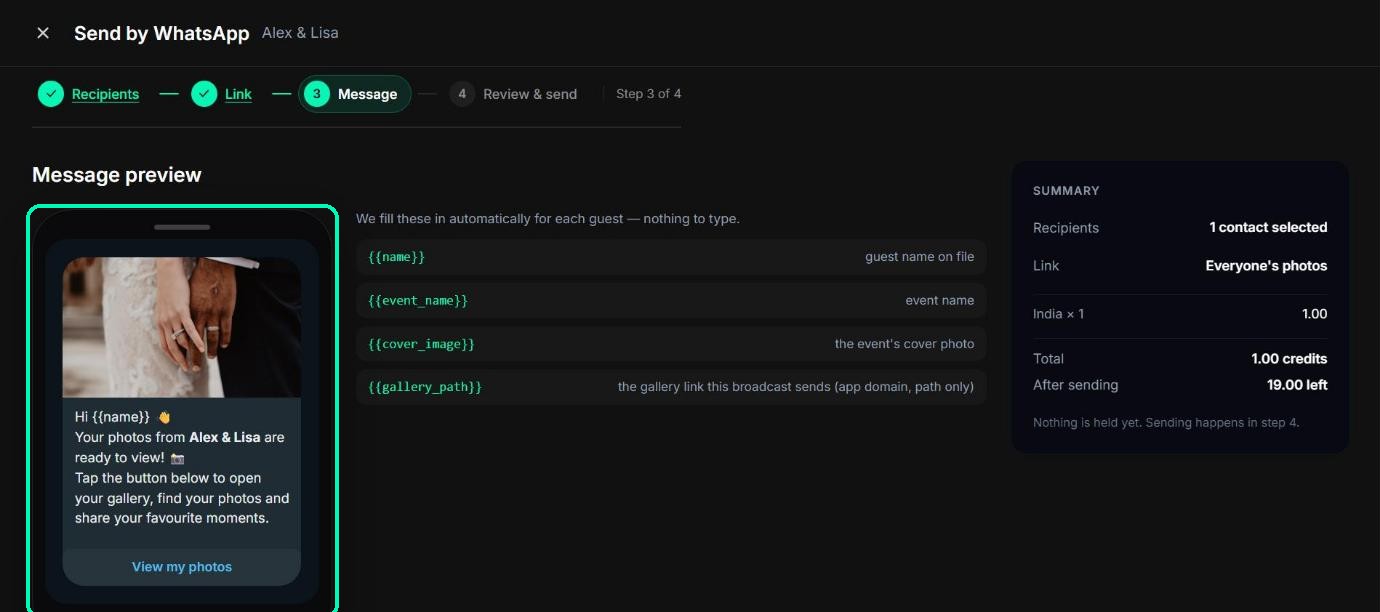
You’ll see the message exactly as guests get it, with your event’s cover photo, a short note that their photos are ready, and a View my photos button. TurtlePic fills in each guest’s name and your event name automatically, so there’s nothing to type.
Review and send
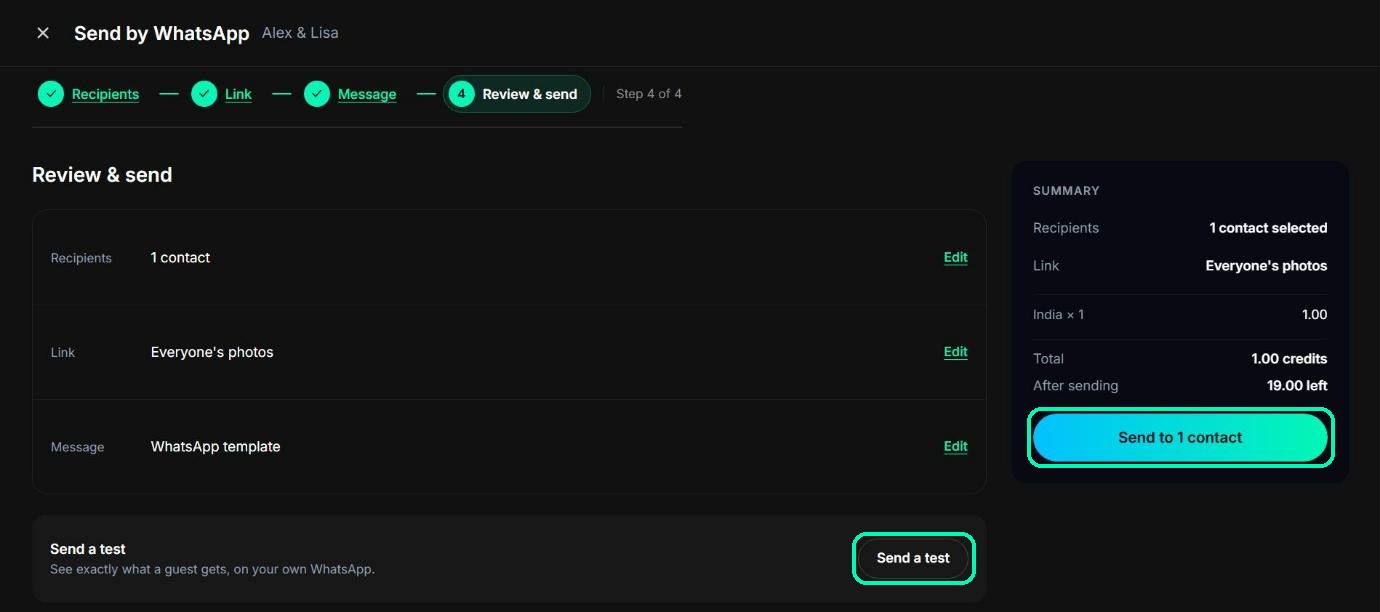
Check the summary of recipients, link and message. Click Edit on any line to change it. To see the message on your own phone first, use Send a test, which uses 1 credit.
When you’re ready, click Send to {number} contacts, then Send now to confirm.
Note
If you don’t have enough credits, you’ll see You need {number} more credits. Click Buy credits, then come back and send.
After sending
You’ll see Sent to {number} contacts and how many credits were used. Guests usually get the message within a few minutes, but it can take up to 48 hours. If WhatsApp rejects a message, its credits come back to your balance within 48 hours.
If nothing was sent
Occasionally TurtlePic can’t reach WhatsApp. You’ll see We couldn’t reach WhatsApp — nothing was sent and nothing was charged. Click Try again.
Was this article helpful?
Your answer helps us improve this guide.
Thanks for letting us know.