
Send the full gallery to your client
Pack every photo into one ZIP and send your client a download link, with or without your watermark.
On this page7 sections
Give your client every photo in one go. TurtlePic packs the whole event into a single ZIP file and gives you a link to send them.
Note
Full-gallery downloads are part of every paid plan. On the Free plan, guests can still download single photos.
Before you start
- An event with all the photos uploaded.
- Decide whether the ZIP should include your watermark.
Open Download link
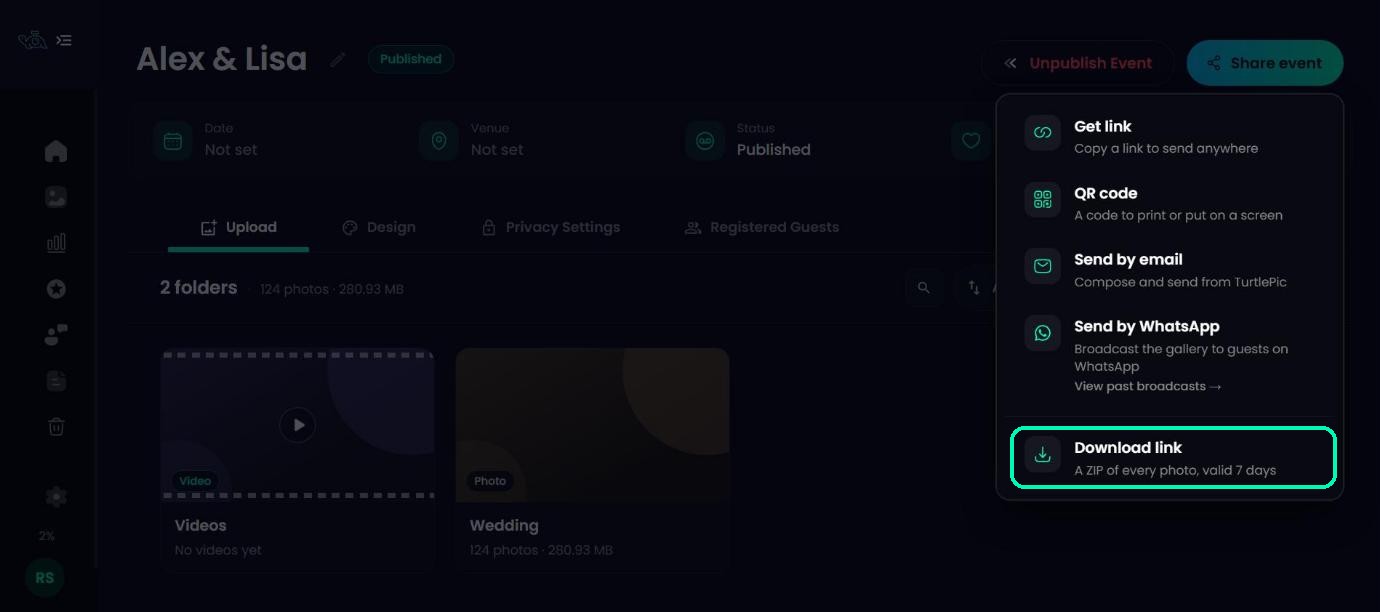
Open your event, click Share event and choose Download link.
Choose clean or watermarked photos
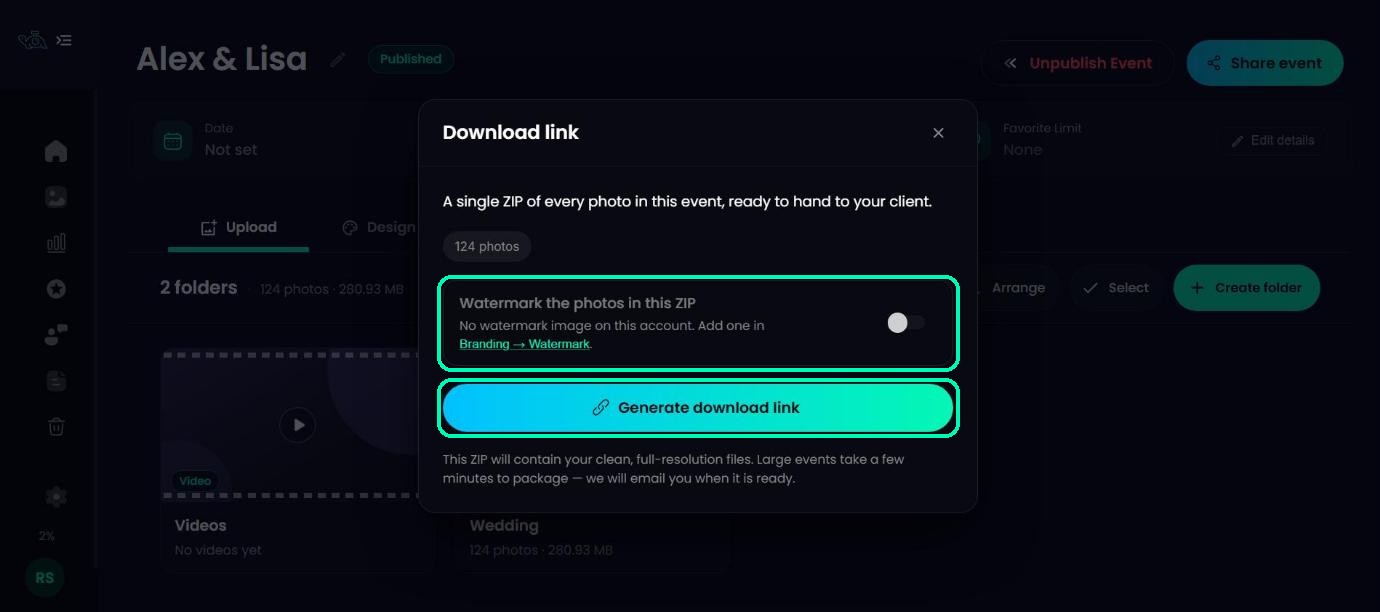
Watermark the photos in this ZIP is off by default, so the ZIP contains your clean, full-resolution files. Switch it on to add the watermark you set up in Branding.
Generate the link
Click Generate download link. Large events can take a few minutes to pack, and you don’t need to wait on the page: TurtlePic emails you when the ZIP is ready.
Copy and send the link
When it’s ready, you’ll see Your download link is ready. Click Copy link and send it to your client. Anyone with the link can download the ZIP.
Note
The link works for 7 days. The expiry date is shown under the link. Videos aren’t included in the ZIP.
Need a new link?
If you add more photos or the link expires, open Download link again and choose Generate a fresh link. The old link keeps working until the new ZIP is ready, then it stops, so send your client the new one. Choose Keep the current link to change nothing.
Was this article helpful?
Your answer helps us improve this guide.
Thanks for letting us know.