
Turn on right-click protection
Stop guests right-clicking the photos in your gallery to save them.
On this page3 sections
Right-click protection stops guests right-clicking the photos in your gallery to save them, so your photos are harder to copy.
Open Privacy Settings
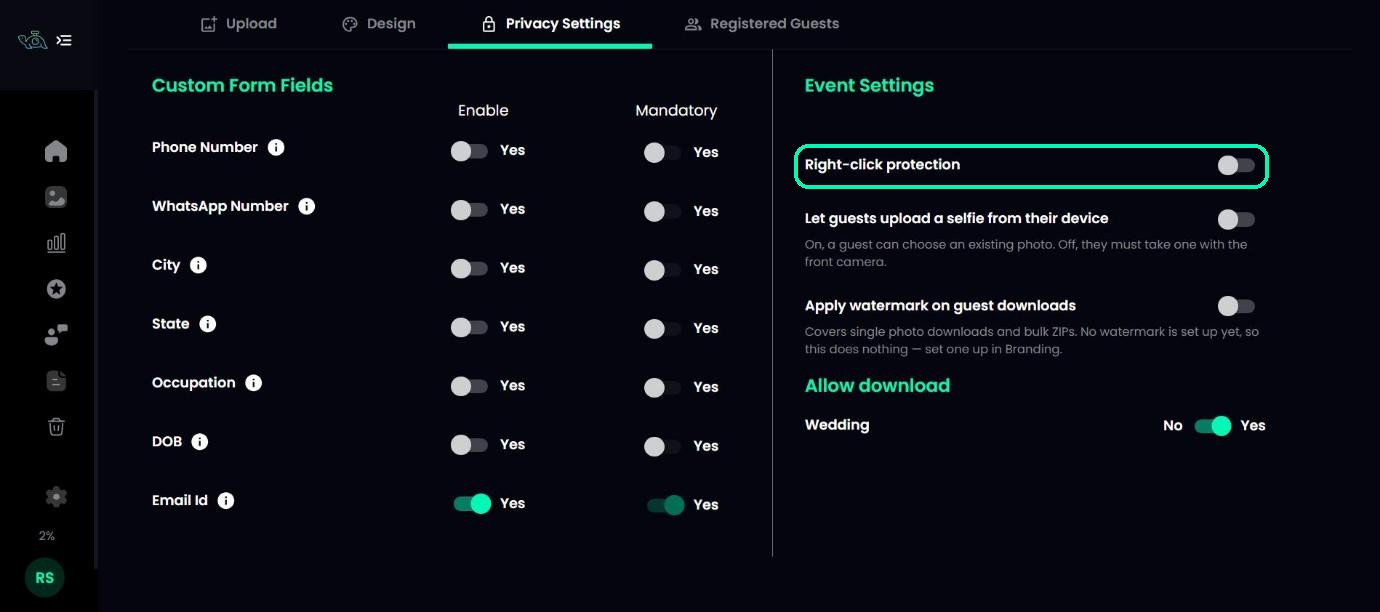
Open your event and click the Privacy Settings tab.
Switch on Right-click protection
Under Event Settings, switch on Right-click protection. It saves by itself and applies to your gallery straight away. It’s off by default.
Tip
For more control over your photos, choose which folders guests can download, and add a watermark to downloads.
Was this article helpful?
Your answer helps us improve this guide.
Thanks for letting us know.