
Text in photos (OCR)
TurtlePic reads the text in every photo, on name badges, stage banners, slides and race bibs, so your team can search for it.
30-minute demo on Google Meet, on your own event photos
Trusted by 1,000+ businesses · 500K+ users · 30+ countries


IN SHORT
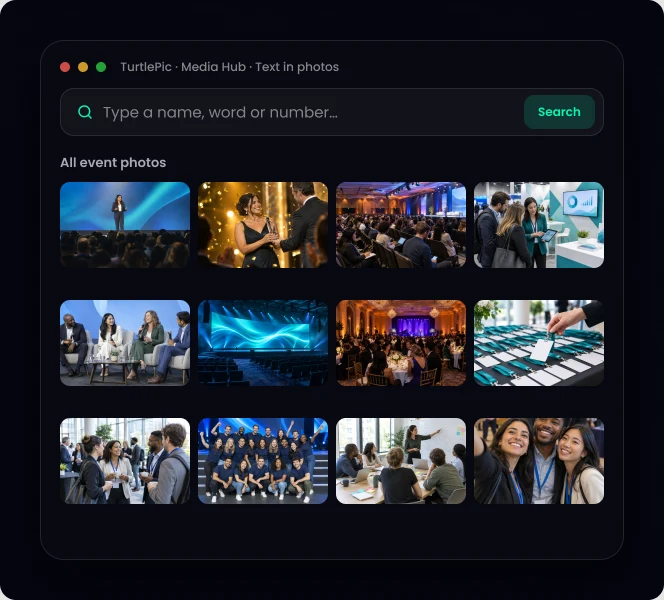
TurtlePic reads text inside photos automatically. Search a name on a badge, a word on a stage banner or a race bib number, and TurtlePic shows every photo that contains it. It works on every photo in your library.
Sample searches.
SAMPLE 1
“Gold Award 2025” → every photo where the stage banner shows it
SAMPLE 2
“Priya” → every photo where the name badge reads Priya
SAMPLE 3
“1042” → every photo of runner number 1042 at the company run
Find people by the name on their badge.
Find every photo of an award, a sponsor or a campaign.
Find a talk by the title on the slide.
Sports days, company runs and marathons.
| Image-to-text converter | TurtlePic text search | |
|---|---|---|
| Works on | One image at a time | Your whole photo library |
| Result | Text you copy | The photos that contain the text |
| Combine with face and AI search | No | Yes |
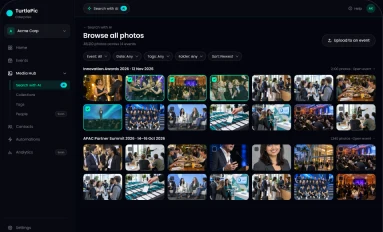
Step 1
Event photos upload in bulk.

Step 2
Badges, banners, slides and numbers are read automatically.
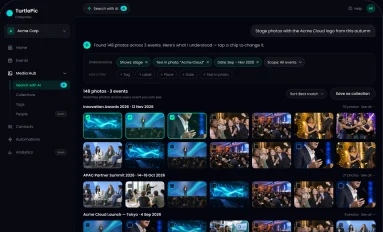
Step 3
Type it, and see every photo that contains it.
By the numbers
Built by Experts. Trusted by Innovators.

Trusted by 1K+ companies
500K+
Worldwide users
10K+
Events created
99.9%
Accuracy of AI
10M+
Photos found by AI
In TurtlePic, type the word, name or number in the search bar. Every photo that contains it appears.
Yes. They type their bib number and see their photos.
Yes. In TurtlePic, OCR and text identification are the same feature: reading the text inside photos so you can search it.
No. TurtlePic uses the text to find photos in your library, across every event.
Bring photos with badges, banners or bibs and search them live.
Book a demo30-minute call on Google Meet · pick a time that suits you