
Hide your gallery by unpublishing it
Take your gallery offline without losing anything, and publish it again when you’re ready.
On this page5 sections
Need to take your gallery offline for a while, for example to fix something before guests see it? Unpublish the event. Your photos and settings stay exactly as they are, and you can publish again whenever you like.
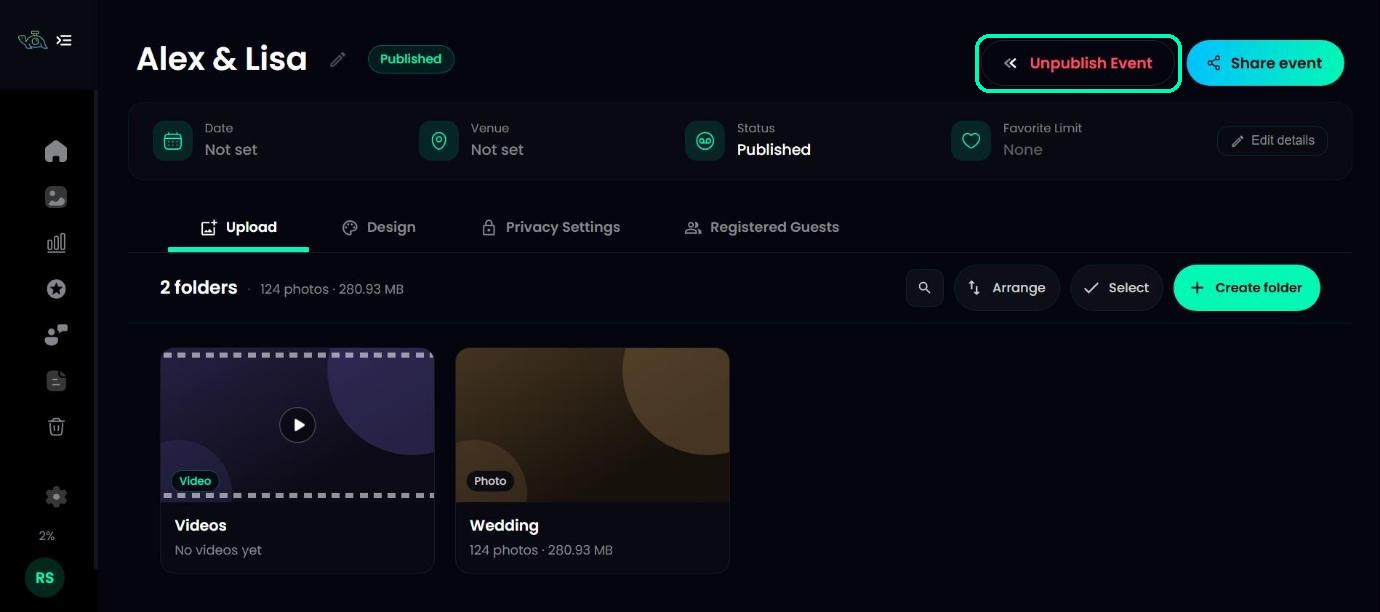
Click Unpublish Event
Open your event and click Unpublish Event at the top right.
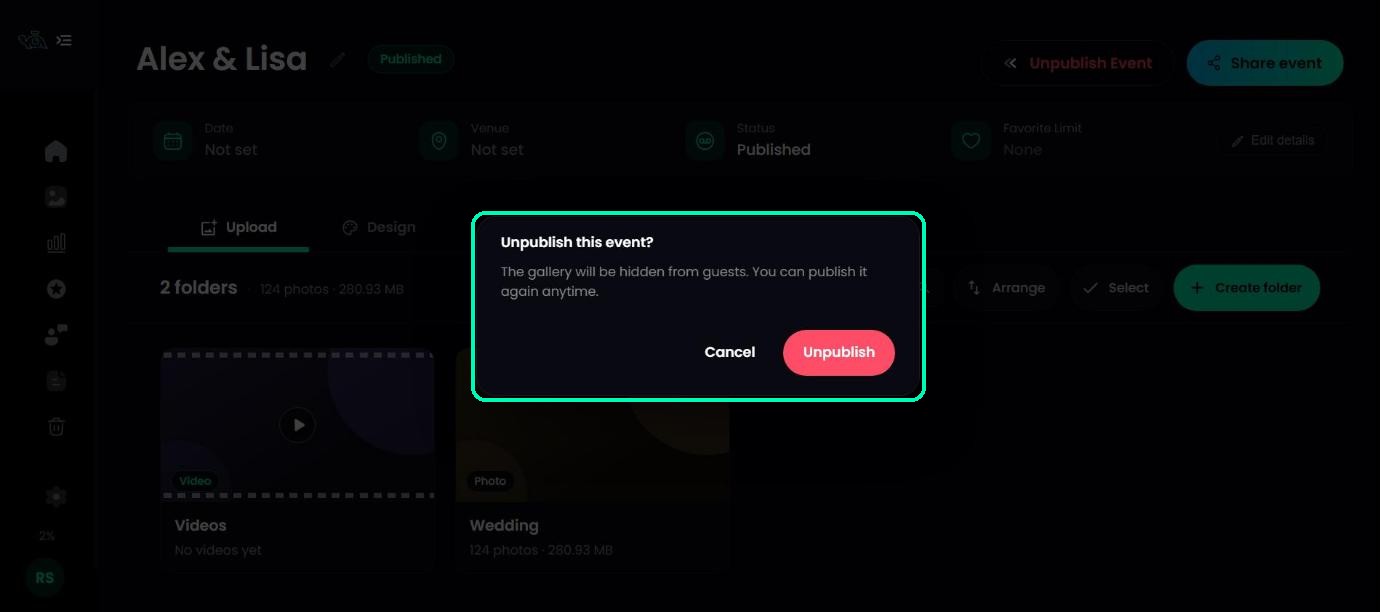
Confirm
You’ll see Unpublish this event? with the message The gallery will be hidden from guests. You can publish it again anytime. Click Unpublish.
Publish again
When you’re ready, click Publish Event, then Publish event to confirm. Guests can open the gallery again with the same link and QR code.
Unpublish or delete?
- Unpublish hides the gallery from guests, but keeps everything so you can bring it back.
- Delete removes the event. Guests who open the link see This gallery is no longer available. Deleted events stay in the Bin for 2 days, then they’re removed for good.
Was this article helpful?
Your answer helps us improve this guide.
Thanks for letting us know.