Aarav is turning 7 and the party needs you!
Balloons, games and far too much cake.
Saturday, [date], 4 pm to 6:30 pm, [venue]
Parents are welcome to stay for snacks.
Please reply by [date].

A birthday invitation has one job: tell people whose day it is, when to turn up, and how to say yes. TurtlePic turns all of that into one link you can drop in a chat, whether it is a 1st birthday at home or a 50th at a restaurant.
Free Forever plan, no credit card needed.
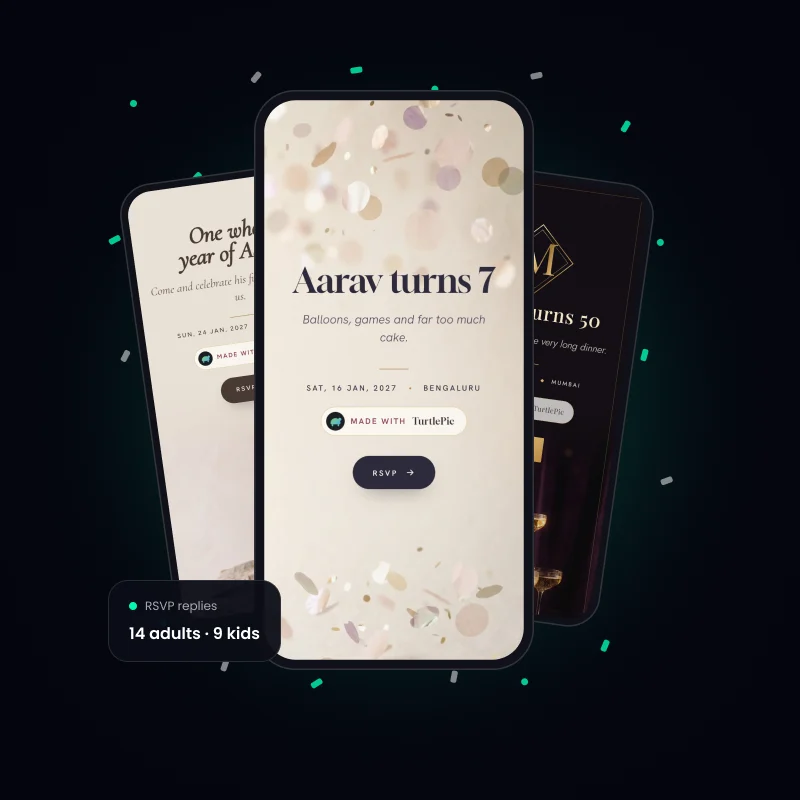
In short: With TurtlePic you make a birthday invitation online for free. Choose Confetti, Champagne or Make a Wish, add the party details, and share one link. Guests reply on their phones, you see who is coming, and after the party they find their own photos with a selfie.
The same invite works for both, but the words should not.
 Kids’ party |  Milestone adult birthday | |
|---|---|---|
| You are really writing to | Parents | The guest |
| Times to give | Start and pick-up | Start, and when dinner is served |
| Ask in the reply | Adults and kids, any food allergy | Meal preference, travel, stay |
| Tone | Playful, short | Warm or a little cheeky |
| Handy add-ons | Contact details, Notes for guests | Dress code, Transport & shuttle |
Four starting points, one for each kind of party. Aarav is a sample name.
Aarav is turning 7 and the party needs you!
Balloons, games and far too much cake.
Saturday, [date], 4 pm to 6:30 pm, [venue]
Parents are welcome to stay for snacks.
Please reply by [date].
One whole year of Aarav.
He has learned to clap, to crawl and to run this house.
Come and celebrate his first birthday with us.
Sunday, [date], 11 am onwards, [venue]
Lunch will be served.
With love, [parents’ names]
Fifty years deserve one very long dinner.
[Name] is turning 50 and would love you at the table.
Saturday, [date], 7:30 pm, [venue]
Wear something you can dance in.
No gifts, just your company.
Shh. This one is a secret.
We are throwing a surprise 40th for [Name], who has no idea.
Please arrive by 7 pm. [Name] walks in at 7:30.
Saturday, [date], [venue]
Please do not mention it, post about it or forward this link.

You choose whether your invite shows on Google. For a surprise, keep “Show in search and AI tools” off in Share settings.
Pick a template, answer a few questions, and AI builds the invite from your answers.
 1Pick a look.
Choose Personal, then your party type, then a template.
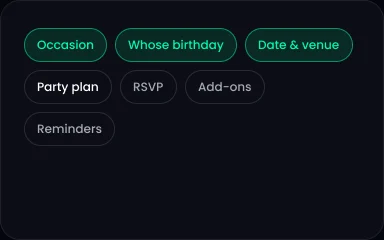 2Add your details and AI builds your invite.
You move through Occasion, Whose birthday, Date & venue, Party plan, RSVP, Add-ons and Reminders.
 3Make it live and share the link.
Paste it in a chat, send it by email, or print the QR code.
Birthdays, kids’ parties, baby showers and naming ceremonies share these 3 templates. See every occasion on our e-invite page.
Create your invite free


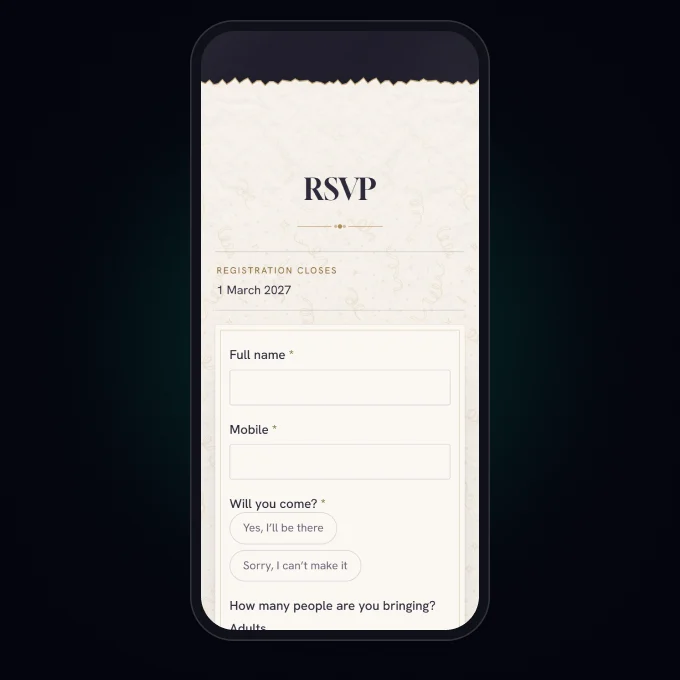
Guests tap to reply and you see every answer in one list. Your online RSVP can also ask about meal preference, travel, stay, song requests, or a question of your own. A DJ will thank you for the song list.
TurtlePic also emails guests who said Yes a day before the party and 2 hours before it.
Nothing to start. A birthday invitation is included on the Free Forever plan, which holds 5 events at a time. It carries a “Made with TurtlePic” badge, and any paid plan takes that off. See pricing

A birthday invitation should say whose birthday it is, the date, time and venue, and how to reply. Add a dress code or food note if it helps. TurtlePic gives you a place for each of these as you build the invite.
Most parents write it in a warm voice, sometimes as if the baby is inviting you, then give the time and venue. Mention lunch or dinner, because guests with small children plan around meals. The first birthday sample on this TurtlePic page is ready to copy.
Say clearly that it is a surprise, give an arrival time before the birthday person comes, and ask guests not to forward it. With TurtlePic, you can put the cover story in Notes for guests and share the link only with people who should know.
Two to three weeks is a good gap for most parties, and more if guests need to travel. A TurtlePic invite can go out the day you make it, and you can edit it later on the same link if plans change.
TurtlePic makes a mobile invite you share as a link, not a card file for printing. If you want a printed card as well, you can print your invite’s QR code on it, so guests can scan it and reply.
Yes. TurtlePic lets you split the count into adults and kids in the RSVP settings, and you can set the most people one guest can bring.
No. Your guests tap the TurtlePic link, answer in a few seconds and they are done. There is nothing to sign up for.
Yes. A TurtlePic invite works just as well for a small party at home as for a booked venue, and you only share the link with the people you choose. Planning a welcome for a new baby instead? See our naming ceremony invitation page.
Explore by occasion
The cake is ordered. Now tell people.
Create your invite free