
How AI face search works
Guests take one selfie and see every photo they’re in. Here’s what happens behind the scenes, from upload to delivery.
On this page5 sections
AI face search lets each guest find their own photos in seconds, without scrolling through the whole event. There’s nothing to switch on: it works on every event.
1. You upload your photos
As each photo uploads, TurtlePic prepares a preview and reads the faces in it. This happens on our servers, so you can close the tab once your photos have finished uploading.

2. You publish and share the link
Publish your event and share the gallery link or QR code. You choose whether guests see everyone’s photos, or only their own.
3. Guests take a selfie
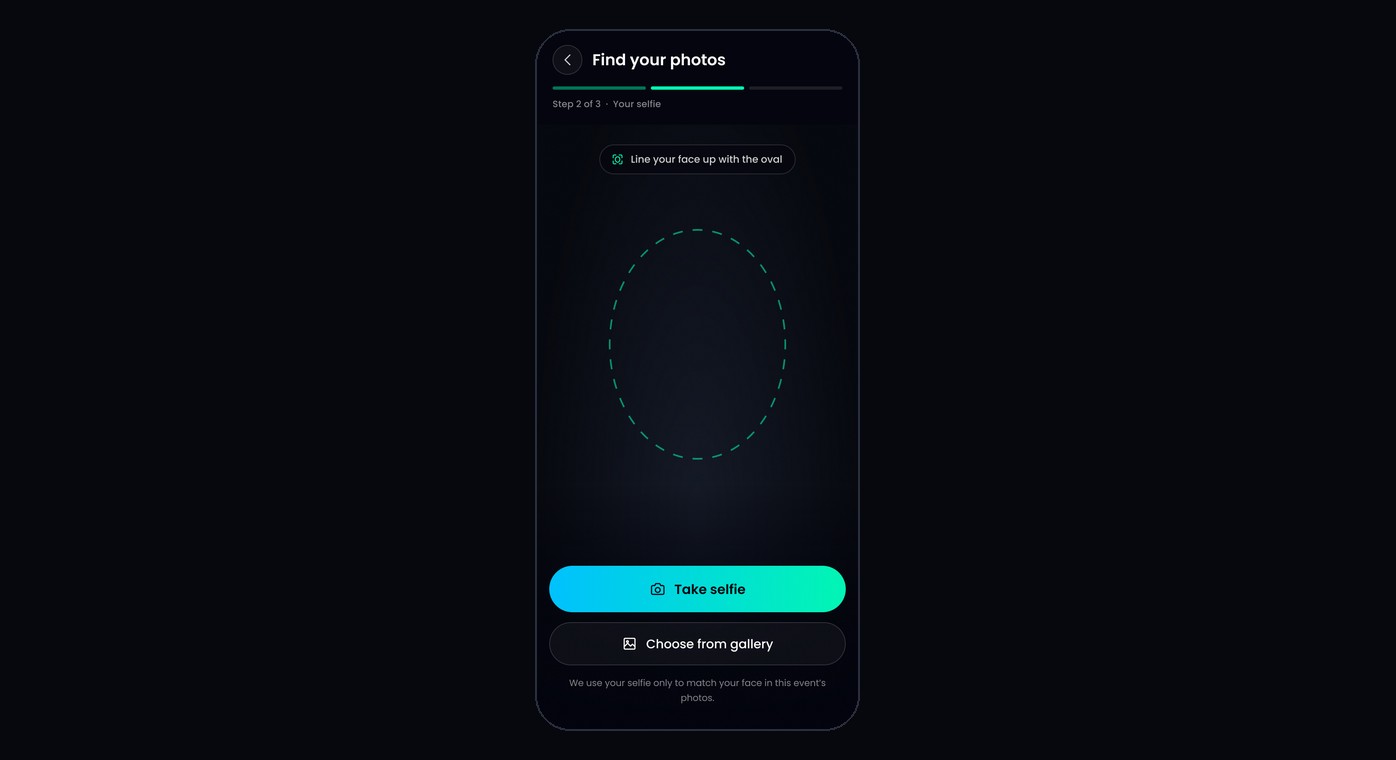
Guests open the link, tap Find my photos, fill in any details you ask for, and take a selfie. TurtlePic finds every photo they’re in, usually within a few seconds.
What face search covers
- Every photo in the event, across all folders.
- Photos, but not videos.
- Photos you add later: they’re ready for face search as soon as they finish processing.
Was this article helpful?
Your answer helps us improve this guide.
Thanks for letting us know.