
Upgrade or change your plan
Move to a paid plan or switch plans from your Subscription settings.
On this page6 sections
Move to a paid plan, or switch to a different one, from your Subscription settings. For current prices, see turtlepic.com/pricing.
Open Subscription
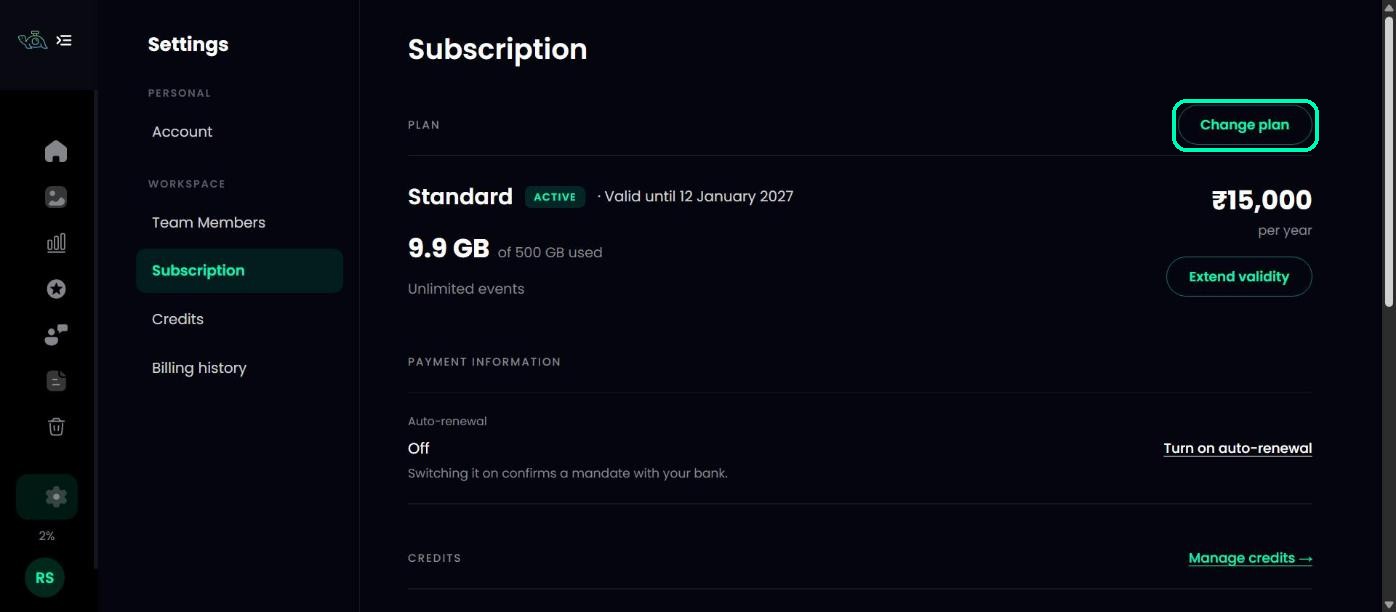
Go to Settings and open Subscription. Click Upgrade plan (on Free Forever) or Change plan.
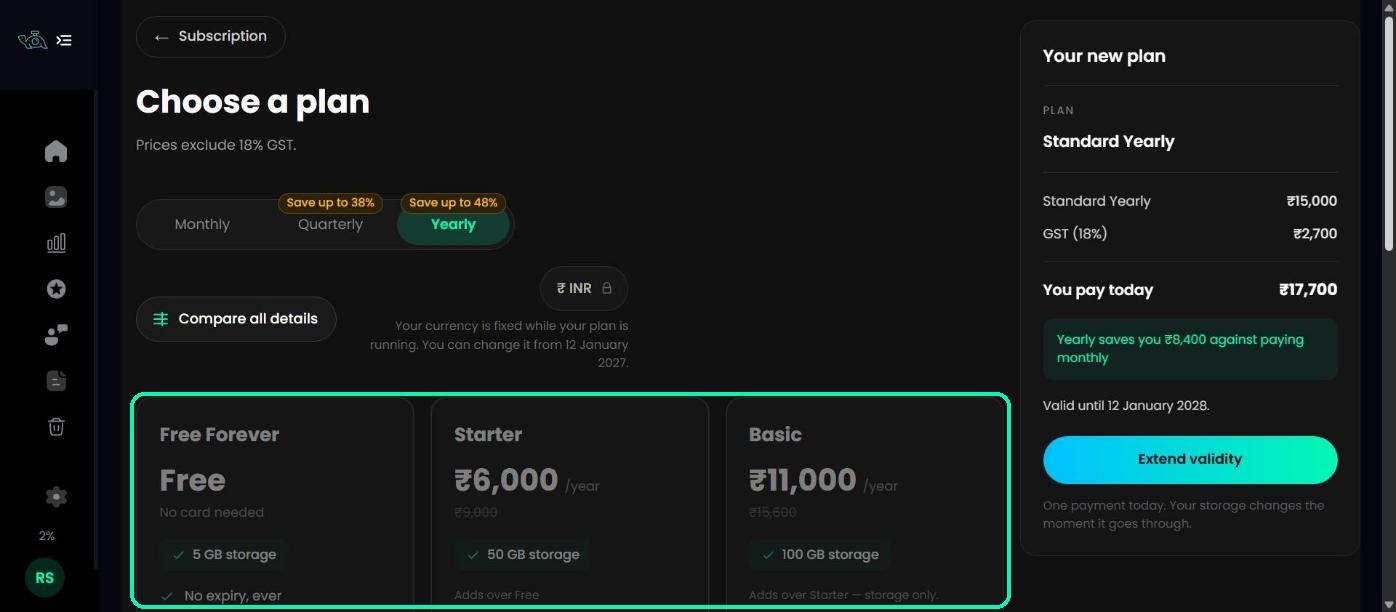
Choose a plan
On Choose a plan, pick Monthly, Quarterly or Yearly, and your currency. Click Compare all details to see every plan side by side, then click Choose on the plan you want.
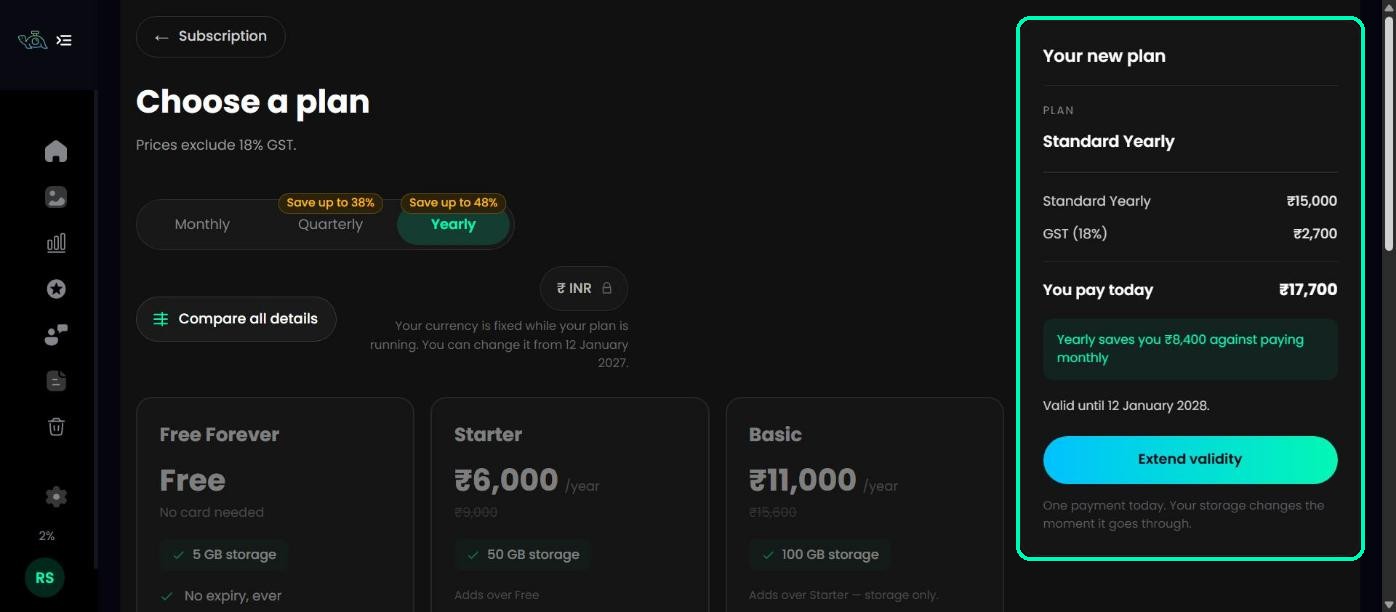
Check the summary
The summary on the right shows your plan, the billing cycle, GST (for rupee payments) and the total. Click Continue to payment.
Pay
Check your billing details and pay securely. Paying in rupees? Add your GSTIN if you want it on your invoice. When the payment goes through, you’ll see Your plan is active, and your new storage is available straight away.
Tip
You’ll be offered auto-renewal so your plan renews by itself. You can turn it on or off later in Subscription.
Moving up or down
- Moving up to a bigger plan takes effect straight away.
- Moving down takes effect when your current plan ends, so you keep what you’ve already paid for. Until then, smaller plans show when they become available.
Note
Your currency is fixed while your plan is running. You can change it when your plan renews.
Was this article helpful?
Your answer helps us improve this guide.
Thanks for letting us know.